
Home › Forums › Photo Critique › Lonely Owl
- This topic has 20 replies, 7 voices, and was last updated 11 years, 4 months ago by
Ezra Morley.

-
AuthorPosts
-
April 14, 2015 at 7:43 pm #10621
 Mr. QuebecParticipant
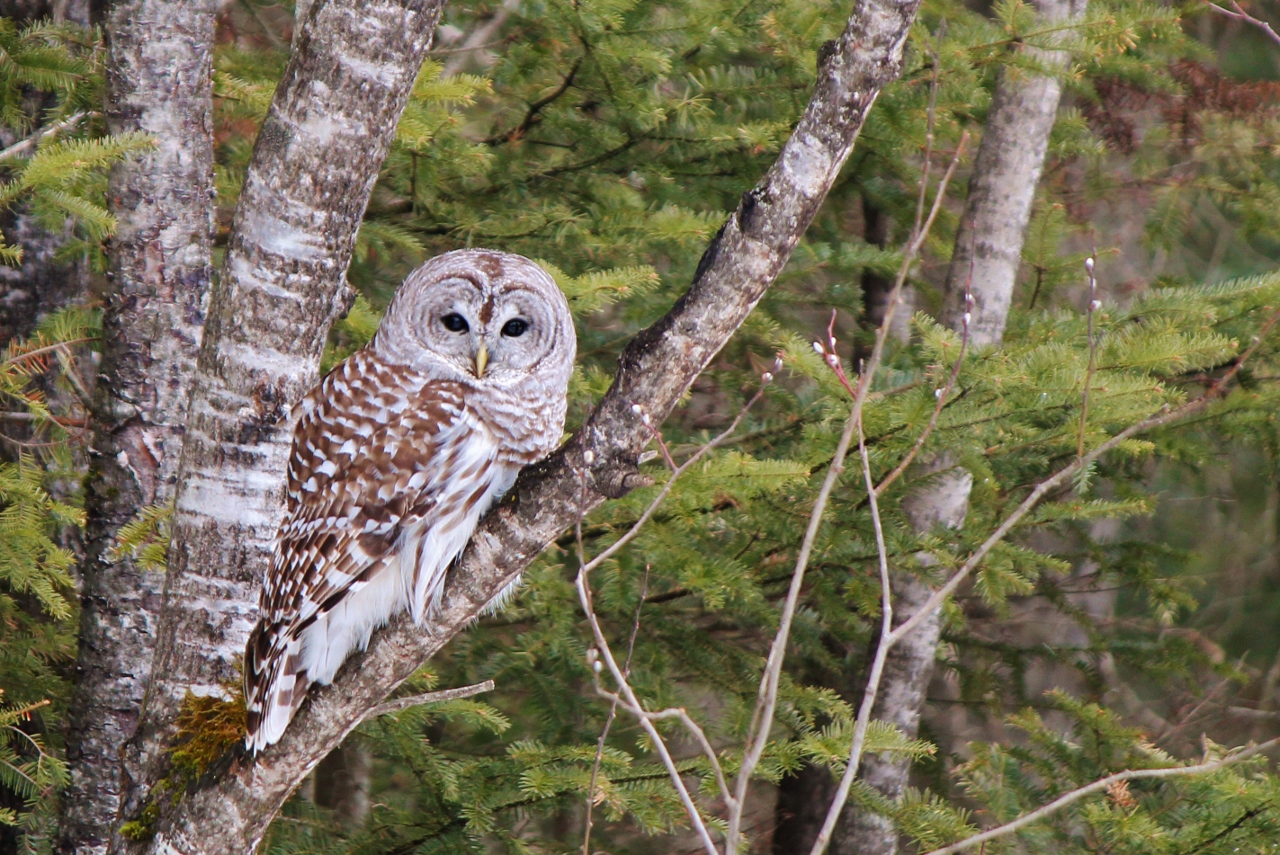
I took this picture by the side of a road.
Canon T3, 55-250 lens.
1/100, ISO 640, 208mm, f/5.6.Attachments:
April 14, 2015 at 8:03 pm #10623Ezra Morley
ModeratorThat is very nice! I like the contrast of the brown owl and trees with the evergreen!
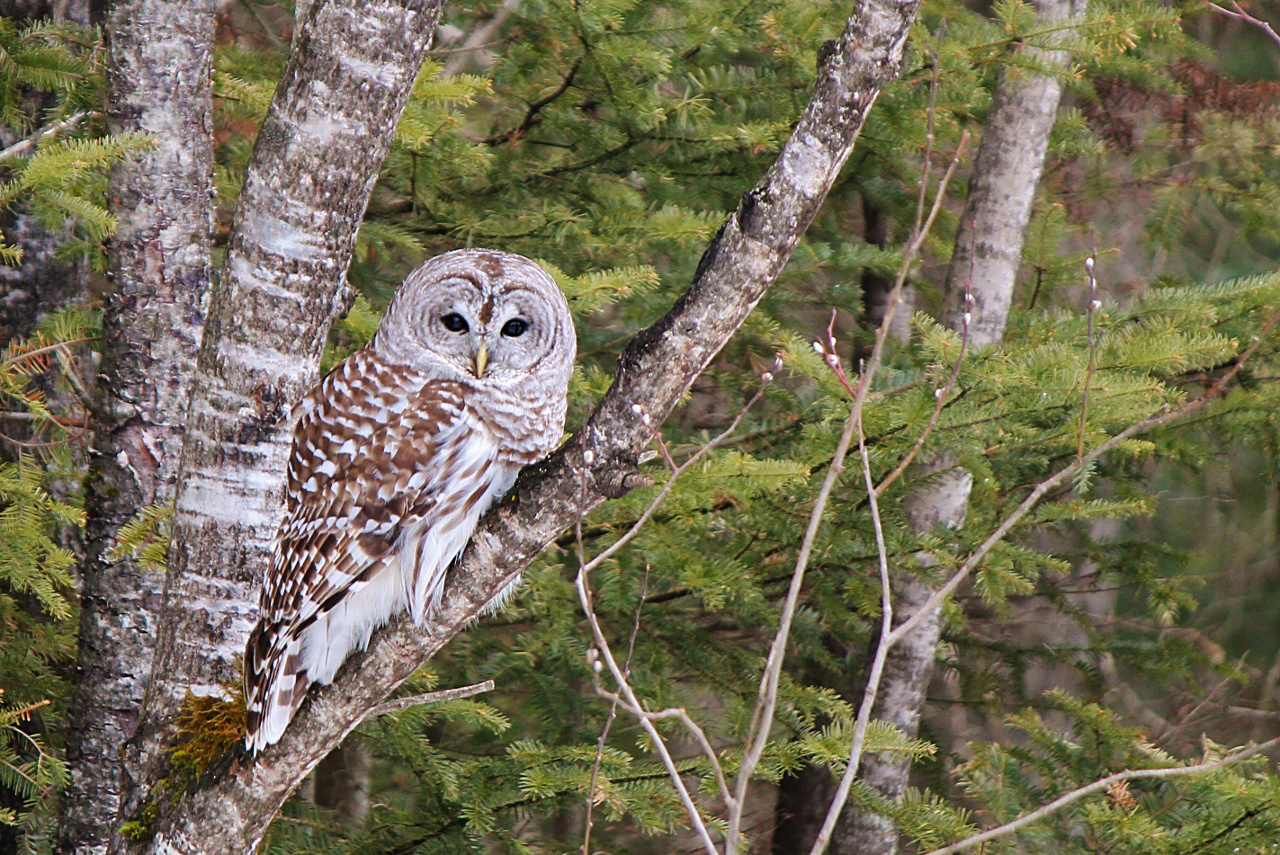
It looks like the image could use a bit of sharpening… I took the liberty of sharpening it in GIMP, what do you think?
Attachments:
April 14, 2015 at 8:23 pm #10625Mr. QuebecParticipantWay better. That’s something I need to practice a lot with GIMP!
May 13, 2015 at 11:10 am #10880 James StaddonKeymaster
Incredible! That’s not a sight I see by the side of the road! I’m glad you took the time to stop and capture it.
I’m assuming you were zoomed in as far as you could. How much did you crop it in post? It is indeed soft, but it doesn’t seem to me that the softness came from camera shake. It looks more like it’s more from the wide aperture and amount of cropping.
The composition is masterful. I’m glad you didn’t center it. The branches all leaning to the right toward the open space is great.
May 13, 2015 at 3:45 pm #10884Dan Cope
ParticipantMy first thought was that I would like to see some space between the owl and the tree trunk. You could have tried telling him to crawl up the branch a little farther 🙂 But actually the more I look at it, I kind of like the way it blends right in, almost as if it were literally a part of the tree. It illustrates the natural camouflage of the owl.
May 13, 2015 at 6:28 pm #10885Mr. QuebecParticipantThanks!
How much did you crop it in post?
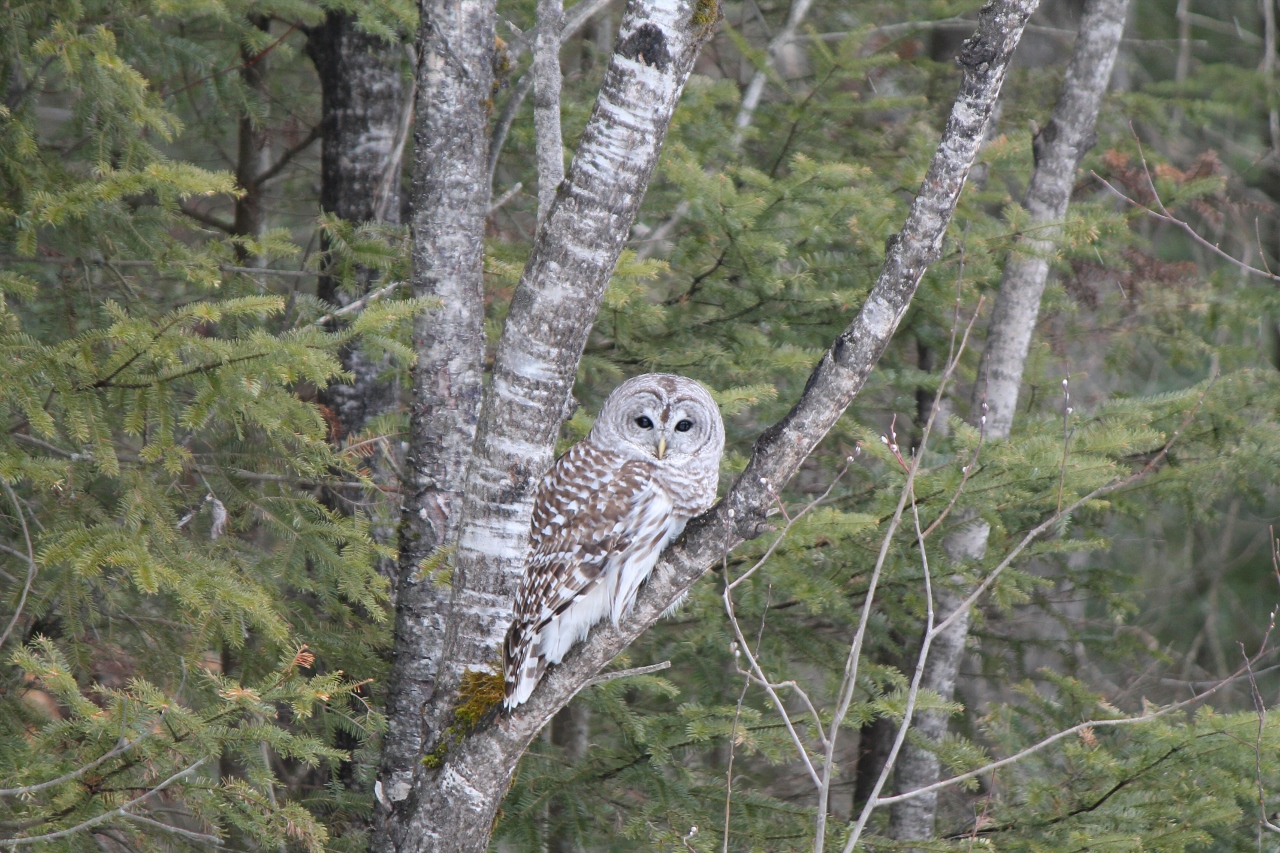
I post what the original image must have looked like ( I don’t have the orignal anymore, but I posted the unedited shot I took before)
I include also a picture where the owl took another position. To me, the owl seems to be looking at the branch, creating a funny effect, but maybe it’s just me …
Attachments:
May 14, 2015 at 7:53 am #10888James StaddonKeymasterThat’s great! The less you have to crop it the better.
And I agree that the picture of the owl looking at you is better by far.
From the original you posted, it looks like the softness I’m seeing in your edited images is mainly happening in post processing somewhere. Perhaps exporting? The original is really pretty good.
I took your original image, cropped it to taste (I liked leaving more breathing room around the owl), increased the saturation a bit, added a vignette, and sharpened it. To me, the attached doesn’t appear to have the same amount of “blur” as any of the edited images you posted.
Attachments:
May 14, 2015 at 6:47 pm #10906Mr. QuebecParticipantWow! It’s a neat improvement from my first post!
As for the softness, I agree that it may be a post processing issue. I used GIMP, and I usually keep an eye open for exporting quality. It may be this but I doubt it. What I suspect is that I had maybe used a blur to remove the apparent noise. I had probably sharpened the picture after, but the results shows…
I’m not sure of my theory, since I edited it a little time ago and I don’t have a big memory, but that’s the only thing I can think of.May 15, 2015 at 2:45 pm #10912ModeratorOn the note of bird photography, here’s a quick short article on the subject! http://www.the-digital-picture.com/News/News-Post.aspx?News=15080
One more thing, @Mr-Quebec, when you’re sharpening a highly cropped image in GIMP, you’ll want to lower the “Radius” down below 1, maybe down to .4 or so.
May 19, 2015 at 8:29 am #10925James StaddonKeymasterAh, @Mr.Quebec, your theory seems quite plausible. You’d have to do a comparison.
Great article, @buddingphotographer. Like #4, Cue a side or tail wind to ruffle the bird’s feathers. Hadn’t thought of that before! You can tell Brian has birding experience. 🙂
May 19, 2015 at 7:12 pm #10941Mr. QuebecParticipantOkay, here’s the test.
Canon 7D, 250mm, ISO 1000, 1/1600, f/6.3
Both versions are edited (one with the blur and sharpening, and the other with just the sharpening) and severly cropped from the same picture. I named them so you will be able to tell which is which.I think that the best thing to do is to add sharpening to the whole picture, and then use a mask and select everything except the subject and apply the blur. Right, buddingphotographer?
Attachments:
May 20, 2015 at 12:01 pm #10963James StaddonKeymasterWow, that’s a big difference!
It’s definitely not worth adding that amount of blur to remove grain. At least over 100% of the image. As you said, localized blurring might be useful as long as it only effects areas of no detail . . . and as long as it’s not noticeable that localized adjustments have been made.
May 20, 2015 at 9:38 pm #10973ModeratorRight, @Mr-Quebec. I presume the reason for “blurring” is for noise-reduction purposes? If so, there are certainly more “user friendly” ways of reducing noise than manually adding masks and Gaussian blurs. 🙂
For example, the GREYCstoration plugin. (Download the
.zipfile, and extract it, then copyGREYCstoration_gimp_pc_win32.exeto GIMP’s plugin folder. Usually located at “C:\Users\Your User Name\.gimp-2.8\plug-ins” Restart the GIMP, and you’ll find it inFilters>Enhance>GREYCstoration)June 11, 2015 at 11:21 am #11411 Daniel HancockParticipant
@Mr-Quebec What operating system are you using?
June 11, 2015 at 6:22 pm #11412Mr. QuebecParticipantI’m using Windows. Why?
-
AuthorPosts




You must be logged in to reply to this topic.