
Home › Forums › Photo Critique › The Milky Way in Mexico
- This topic has 37 replies, 3 voices, and was last updated 9 years, 2 months ago by
 James Staddon.
-
AuthorPosts
-
September 7, 2016 at 8:37 pm #18939
 Austin VinarParticipant
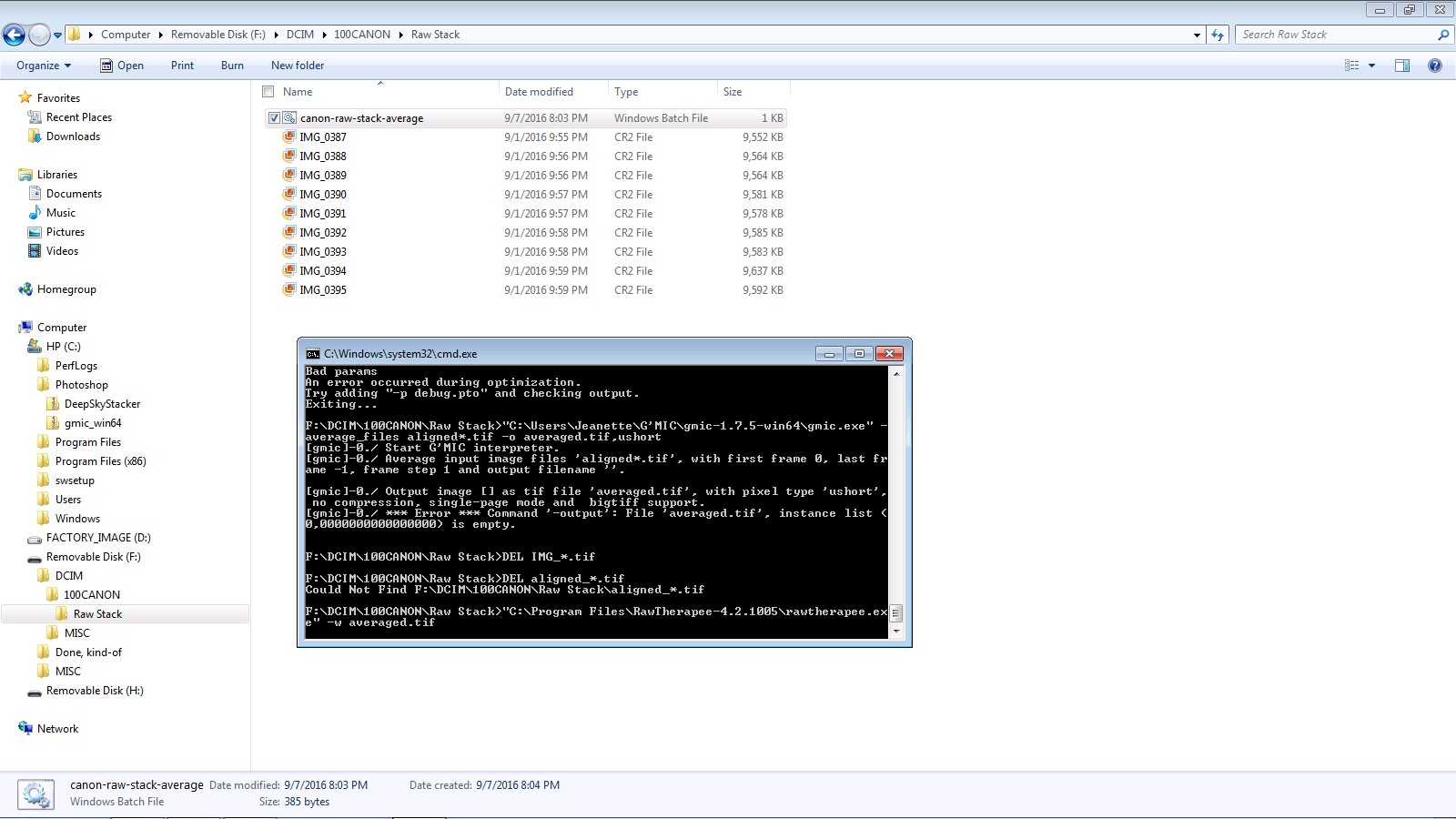
Does this look right to you? It says something about an error in the black box. I only got it to say “press any key to continue” once and I couldn’t find the file it made(or didn’t make).
Attachments:
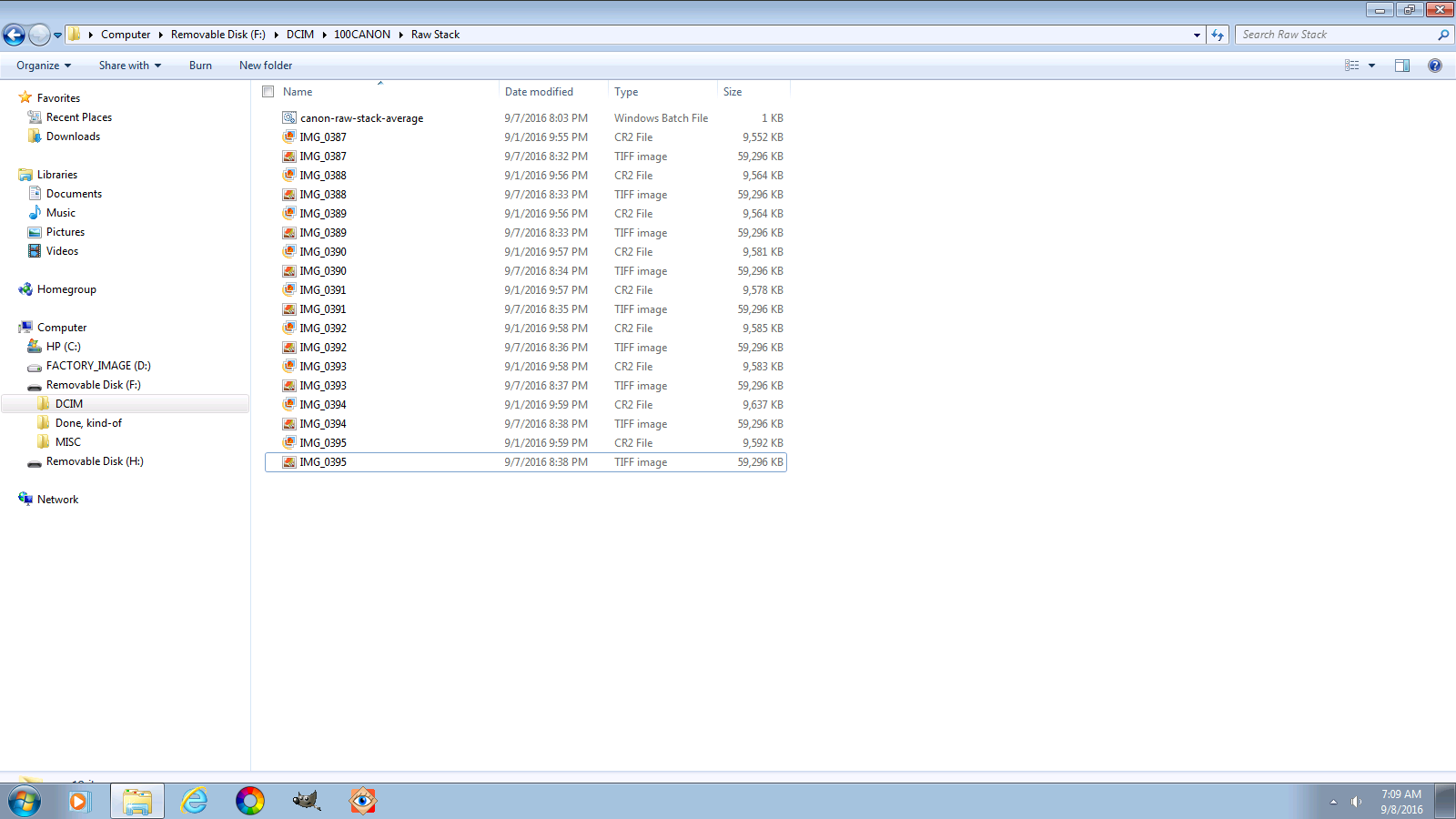
September 8, 2016 at 7:15 am #18942Austin VinarParticipantOK, I tried running it a few times, I only got it to say “press any key to continue” once, and I couldn’t find the file it made(or didn’t make). Does this look right?(first image)
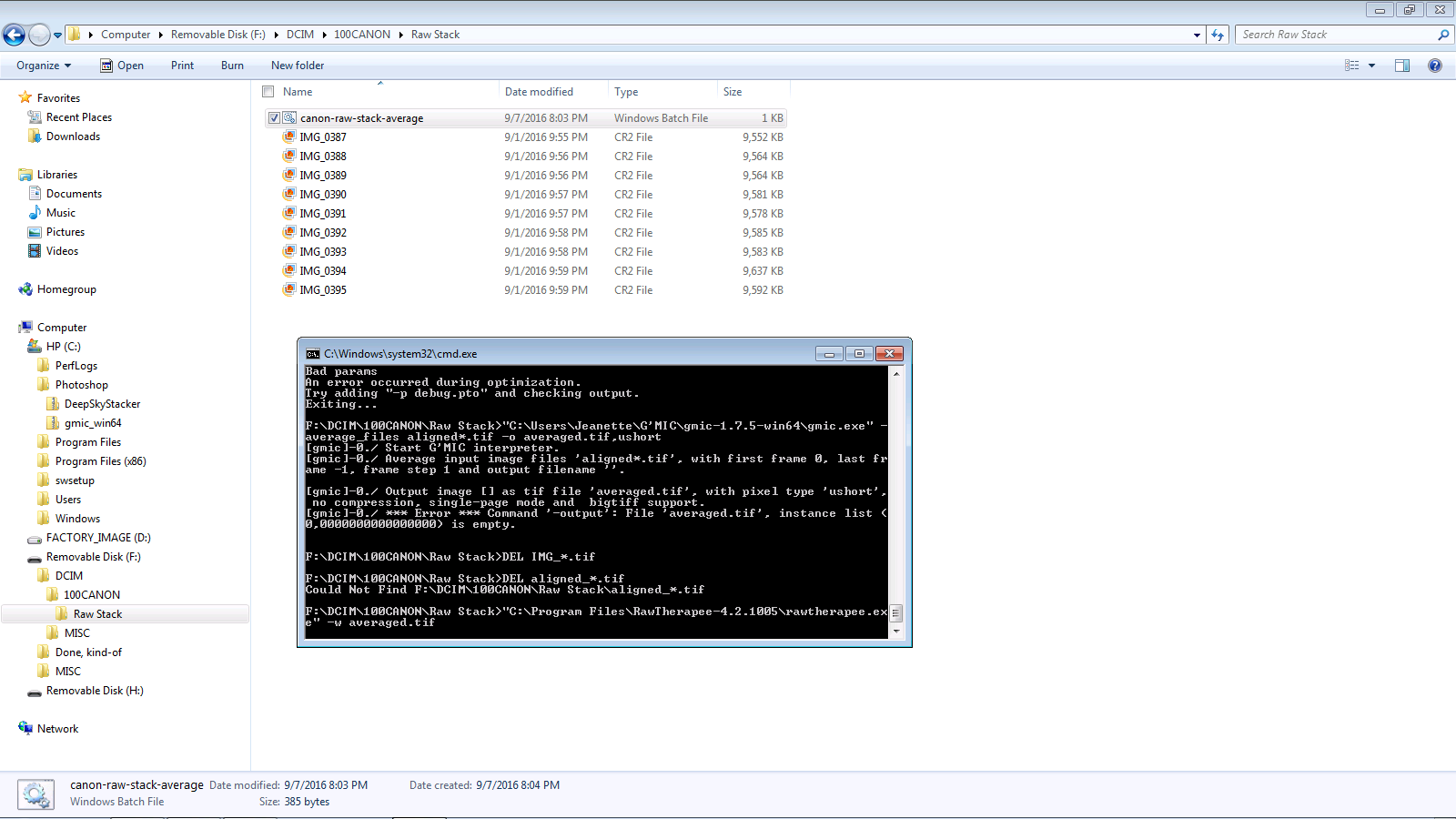
Then this morning I went in there and there were 9 tiff images,(see second screenshot) Do you know what is happening?
Thanks a lot for your help, I apreciate it!
Attachments:
September 8, 2016 at 7:24 am #18945Austin VinarParticipantSo I tried again this morning, it chugged right through it all and ended up looking like the first sreen shot, then it said “press any key to continue” and I hit space and it disappered but I still couldn’t find the file. Although it got rid of the tiffs. And every time it opens Raw Therapee for me but I can’t find the file. Any suggestions? Note the error on the first screen shot. Thanks!
September 8, 2016 at 1:51 pm #18953Ezra Morley
ModeratorOk, it looks like Hugin is the one that failed. However, I can’t really see what the error is. Here’s another
.batfile: https://www.dropbox.com/s/92j40wjz6usznym/start.bat?dl=1 Download it and put it in the same folder as your other.batfile and the 10 RAW files. Run the new file calledstart.batand let it run for 15 minutes or so. Then you can close the command line window if it doesn’t disappear. Now there should be a file callederrors.txtin your folder. You’ll need to send that txt file to me, you can e-mail it to me, or put it on Dropbox and post a link. That will have all of the output, so I can see what went wrong.The tiff files are what RT outputs. They are supposed to be automatically deleted. When you ran it again, it found them and deleted them, so that’s normal.
September 9, 2016 at 1:05 pm #18984ModeratorThe problem is with Hugin, as I suspected. For some reason, Hugin can’t find enough control points to align the images properly. 🙁
@AustinVinar, can you open the RAW files in RawTherapee, and export 4 of them to jpg files? I’d be very interested to know whether Hugin will be able to stack from jpgs. Once you have exported jpgs from your RAW files, download this script and copy it to your folder with jpgs in it, and run it. https://www.dropbox.com/s/evfukekpsn46mfm/canon-jpg-stack-average.bat?dl=1If everything works correctly, and the script finishes, it should open RawTherapee with the stacked/averaged file.
Here’s the error log from @AustinVinar:
(I removed a few redundant items to make it a little more concise, but the error is still there.)F:\DCIM\100CANON\Raw Stack>SET rt="C:\Program Files\RawTherapee-4.2.1005\rawtherapee.exe" F:\DCIM\100CANON\Raw Stack>SET hugin="C:\Program Files (x86)\Hugin\bin\align_image_stack.exe" F:\DCIM\100CANON\Raw Stack>SET gmic="C:\Users\Jeanette\G'MIC\gmic-1.7.5-win64\gmic.exe" F:\DCIM\100CANON\Raw Stack>"C:\Program Files\RawTherapee-4.2.1005\rawtherapee.exe" -b16 -t -w -c IMG*.CR2 Processing: IMG_0387.CR2 Processing: IMG_0388.CR2 Processing: IMG_0389.CR2 Processing: IMG_0390.CR2 Processing: IMG_0391.CR2 Processing: IMG_0392.CR2 Processing: IMG_0393.CR2 Processing: IMG_0394.CR2 Processing: IMG_0395.CR2 F:\DCIM\100CANON\Raw Stack>"C:\Program Files (x86)\Hugin\bin\align_image_stack.exe" -m -v -a aligned_ IMG_*.tif Warning: TIFFDecoder: no TIFFTAG_SAMPLEFORMAT or TIFFTAG_DATATYPE, guessing pixeltype 'UINT16'. Warning: TIFFDecoder: no TIFFTAG_SAMPLEFORMAT or TIFFTAG_DATATYPE, guessing pixeltype 'UINT16'. Warning: TIFFDecoder: no TIFFTAG_SAMPLEFORMAT or TIFFTAG_DATATYPE, guessing pixeltype 'UINT16'. Warning: TIFFDecoder: no TIFFTAG_SAMPLEFORMAT or TIFFTAG_DATATYPE, guessing pixeltype 'UINT16'. Creating control points between IMG_0387.tif and IMG_0388.tif Warning: TIFFDecoder: no TIFFTAG_SAMPLEFORMAT or TIFFTAG_DATATYPE, guessing pixeltype 'UINT16'. Warning: TIFFDecoder: no TIFFTAG_SAMPLEFORMAT or TIFFTAG_DATATYPE, guessing pixeltype 'UINT16'. Trying to find 8 corners... Number of good matches: 0, bad matches: 40 Number of good matches: 0, bad matches: 40 Number of good matches: 0, bad matches: 40 Number of good matches: 0, bad matches: 40 Number of good matches: 1, bad matches: 39 Number of good matches: 0, bad matches: 40 Number of good matches: 0, bad matches: 40 Number of good matches: 0, bad matches: 40 Number of good matches: 0, bad matches: 40 Number of good matches: 0, bad matches: 40 Number of good matches: 2, bad matches: 38 Number of good matches: 0, bad matches: 40 Number of good matches: 0, bad matches: 40 Number of good matches: 0, bad matches: 40 Number of good matches: 0, bad matches: 40 Number of good matches: 0, bad matches: 40 Number of good matches: 0, bad matches: 40 Number of good matches: 0, bad matches: 40 Number of good matches: 0, bad matches: 40 Number of good matches: 0, bad matches: 40 Number of good matches: 0, bad matches: 40 Number of good matches: 0, bad matches: 40 Number of good matches: 0, bad matches: 40 Number of good matches: 0, bad matches: 40 Number of good matches: 0, bad matches: 40 Creating control points between IMG_0388.tif and IMG_0389.tif Warning: TIFFDecoder: no TIFFTAG_SAMPLEFORMAT or TIFFTAG_DATATYPE, guessing pixeltype 'UINT16'. Warning: TIFFDecoder: no TIFFTAG_SAMPLEFORMAT or TIFFTAG_DATATYPE, guessing pixeltype 'UINT16'. Trying to find 8 corners... Number of good matches: 0, bad matches: 40 Number of good matches: 0, bad matches: 40 Number of good matches: 0, bad matches: 40 Number of good matches: 0, bad matches: 40 Number of good matches: 0, bad matches: 40 Number of good matches: 0, bad matches: 40 Number of good matches: 0, bad matches: 40 Number of good matches: 0, bad matches: 40 Number of good matches: 0, bad matches: 40 Number of good matches: 0, bad matches: 40 Number of good matches: 1, bad matches: 39 Number of good matches: 0, bad matches: 40 Number of good matches: 0, bad matches: 40 Number of good matches: 0, bad matches: 40 Number of good matches: 0, bad matches: 40 Number of good matches: 0, bad matches: 40 Number of good matches: 0, bad matches: 40 Number of good matches: 0, bad matches: 40 Number of good matches: 0, bad matches: 40 Number of good matches: 0, bad matches: 40 Number of good matches: 0, bad matches: 40 Number of good matches: 0, bad matches: 40 Number of good matches: 0, bad matches: 40 Number of good matches: 0, bad matches: 40 Number of good matches: 0, bad matches: 40 Optimizing Variables Strategy 1 Average (rms) distance between Controlpoints after 0 iteration(s): 35.0094418161517 units Strategy 1 Average (rms) distance between Controlpoints after 1 iteration(s): 34.3755788362915 units Strategy 1 Average (rms) distance between Controlpoints after 2 iteration(s): 33.8328080257459 units Optimizing Variables Strategy 2 Average (rms) distance between Controlpoints after 0 iteration(s): 9.67323765841369 units Strategy 2 Average (rms) distance between Controlpoints after 1 iteration(s): 9.39263759973231 units Strategy 2 Average (rms) distance between Controlpoints after 2 iteration(s): 8.29398455467426 units Strategy 2 Average (rms) distance between Controlpoints after 3 iteration(s): 7.59894820955703 units Strategy 2 Average (rms) distance between Controlpoints after 4 iteration(s): 7.10039346589885 units Strategy 2 Average (rms) distance between Controlpoints after 5 iteration(s): 6.7793922562147 units Strategy 2 Average (rms) distance between Controlpoints after 6 iteration(s): 6.21940747004298 units Strategy 2 Average (rms) distance between Controlpoints after 7 iteration(s): 5.06403524947241 units Strategy 2 Average (rms) distance between Controlpoints after 8 iteration(s): 0.671271000807841 units Strategy 2 Average (rms) distance between Controlpoints after 9 iteration(s): 0.502248756006428 units Strategy 2 Average (rms) distance between Controlpoints after 10 iteration(s): 0.373601628592445 units Strategy 2 Average (rms) distance between Controlpoints after 11 iteration(s): 0.175348389911953 units Strategy 2 Average (rms) distance between Controlpoints after 12 iteration(s): 0.000847883442283072 units Strategy 2 Average (rms) distance between Controlpoints after 13 iteration(s): 0.000847883429890453 units Ctrl points before pruning: 71, after: 71 Field of View must be smaller than 180 degrees in rectilinear Images Bad params An error occurred during optimization. Try adding "-p debug.pto" and checking output. Exiting... F:\DCIM\100CANON\Raw Stack>"C:\Users\Jeanette\G'MIC\gmic-1.7.5-win64\gmic.exe" -average_files aligned*.tif -o averaged.tif,ushort [gmic]-0./ Start G'MIC interpreter. [gmic]-0./ Average input image files 'aligned*.tif', with first frame 0, last frame -1, frame step 1 and output filename ''. [gmic]-0./ Output image [] as tif file 'averaged.tif', with pixel type 'ushort', no compression, single-page mode and bigtiff support. [gmic]-0./ *** Error *** Command '-output': File 'averaged.tif', instance list (0,0000000000000000) is empty. F:\DCIM\100CANON\Raw Stack>DEL IMG_*.tif F:\DCIM\100CANON\Raw Stack>DEL aligned_*.tif Could Not Find F:\DCIM\100CANON\Raw Stack\aligned_*.tif F:\DCIM\100CANON\Raw Stack>"C:\Program Files\RawTherapee-4.2.1005\rawtherapee.exe" -w averaged.tif (rawtherapee.exe:5900): Gtk-WARNING **: Failed to fetch network locations: Error opening directory 'F:\DCIM\100CANON\Raw Stack\network:': No such file or directory F:\DCIM\100CANON\Raw Stack>PAUSE Press any key to continue . . .Attachments:
September 9, 2016 at 1:28 pm #18986Austin VinarParticipantIt didn’t seem to align the jpegs either. =( It did the same thing, went through it all, and didn’t come up with a averaged file. Do you want a error report on that to?
September 9, 2016 at 8:36 pm #18987ModeratorOk, can you send me the 4 jpg files by email/dropbox? This is kind of strange… If the 10 files are sequential photos of the night sky, then Hugin shouldn’t have any trouble with them. Are the stars clearly visible?
September 13, 2016 at 4:19 pm #19060ModeratorOk, I think I found the problem(s). 🙁
From the raw
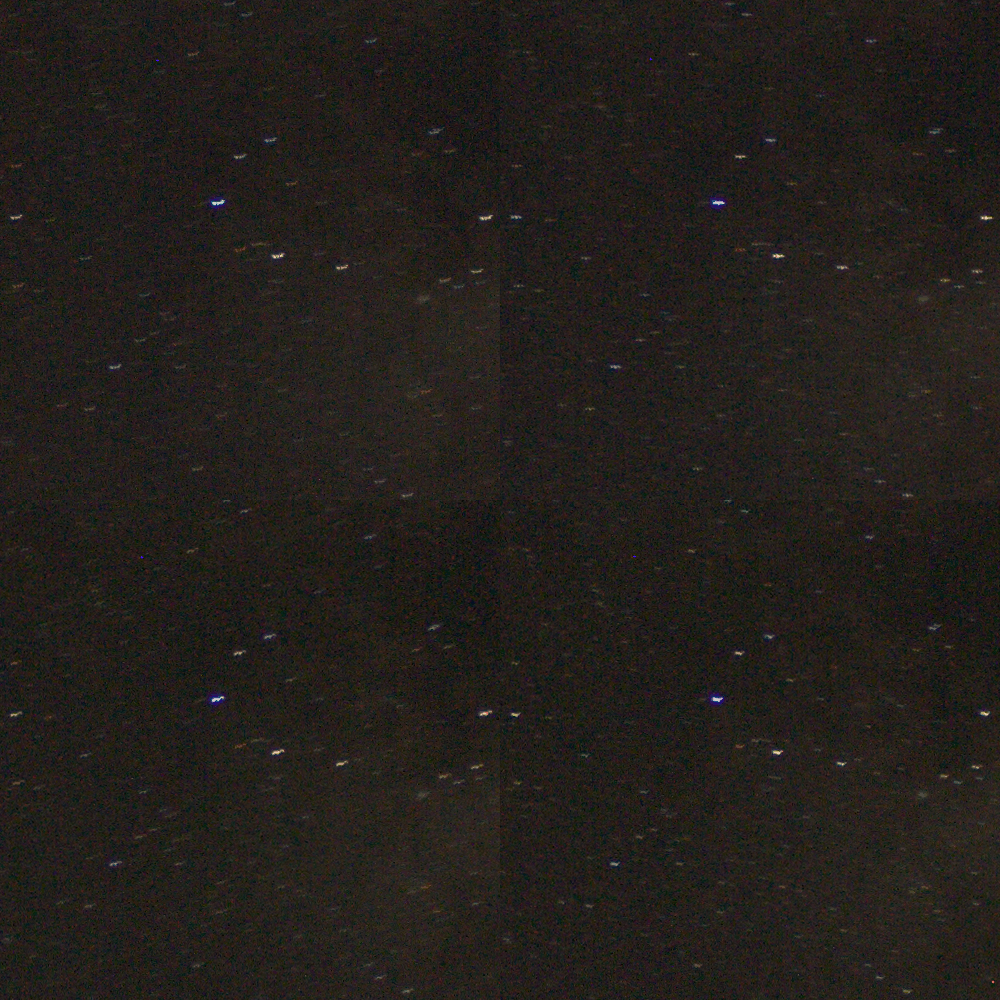
.CR2files that you sent me, I can see that there is significant variation between the stars/star trails between images. It’s as if the camera got jiggled for some frames, and not for others. See this 100% crop for an example: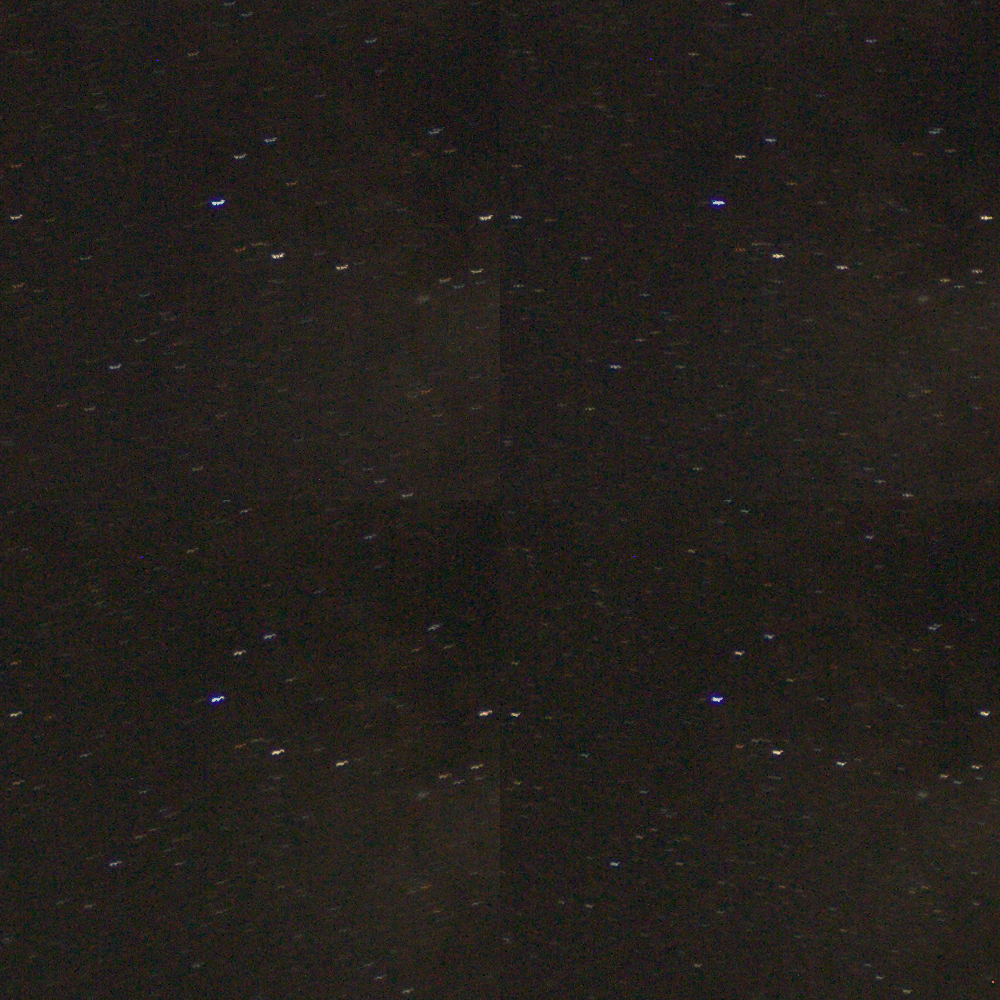
Hugin tried hard, but it couldn’t get them perfectly aligned, since the frames will never perfectly match up if the stars have all gone wiggly like that. 🙂
Did you touch the camera at all during the exposures? A timer or remote shutter is essential for astrophotography work. It can take several seconds for vibrations from your hand to die down, so you have to be very careful about making sure that tripod is completely still before triggering the shutter.
I think your best bet is to re-shoot another series of images, unless you can go through your 10 frames and find enough that aren’t wiggly.
Attachments:
September 13, 2016 at 4:35 pm #19062Austin VinarParticipantOK, Thanks. I’ll reshoot when I get a chance. For now I know. I may post when I get more shots.
September 14, 2016 at 3:41 pm #19065ModeratorPlease do! I’m very interested to see other people’s results! 🙂
September 16, 2016 at 2:38 pm #19085Austin VinarParticipantHey @buddingphotographer, I took some moon pictures the other night. The name of one of the files is
IMG_2308.JPGwould you be able to come up with a script for stacking them? I have ten. Thanks a lot!!September 16, 2016 at 2:46 pm #19086ModeratorSure thing! I previously posted this link to download a script for .jpg files here: https://www.dropbox.com/s/evfukekpsn46mfm/canon-jpg-stack-average.bat?dl=1
Just put the script in the same folder as your 10 files, and run it!
P.S. I noticed from the screenshots that you posted earlier, that you are stacking the pictures while they’re still on your camera’s SD card. I highly recommend that you copy your pictures to your computer hard-drive before you run the script. Make a folder somewhere on your computer, and put your 10 image files and script file in it, then run the script. There are 2 reasons for my suggestion: first, your script will probably run faster, and second, you don’t risk corrupting your SD card if the script fails for some odd reason.
September 16, 2016 at 3:12 pm #19087Austin VinarParticipantThanks! I’ll run it and see what I can come up with. And thanks for the advise about the SD card.
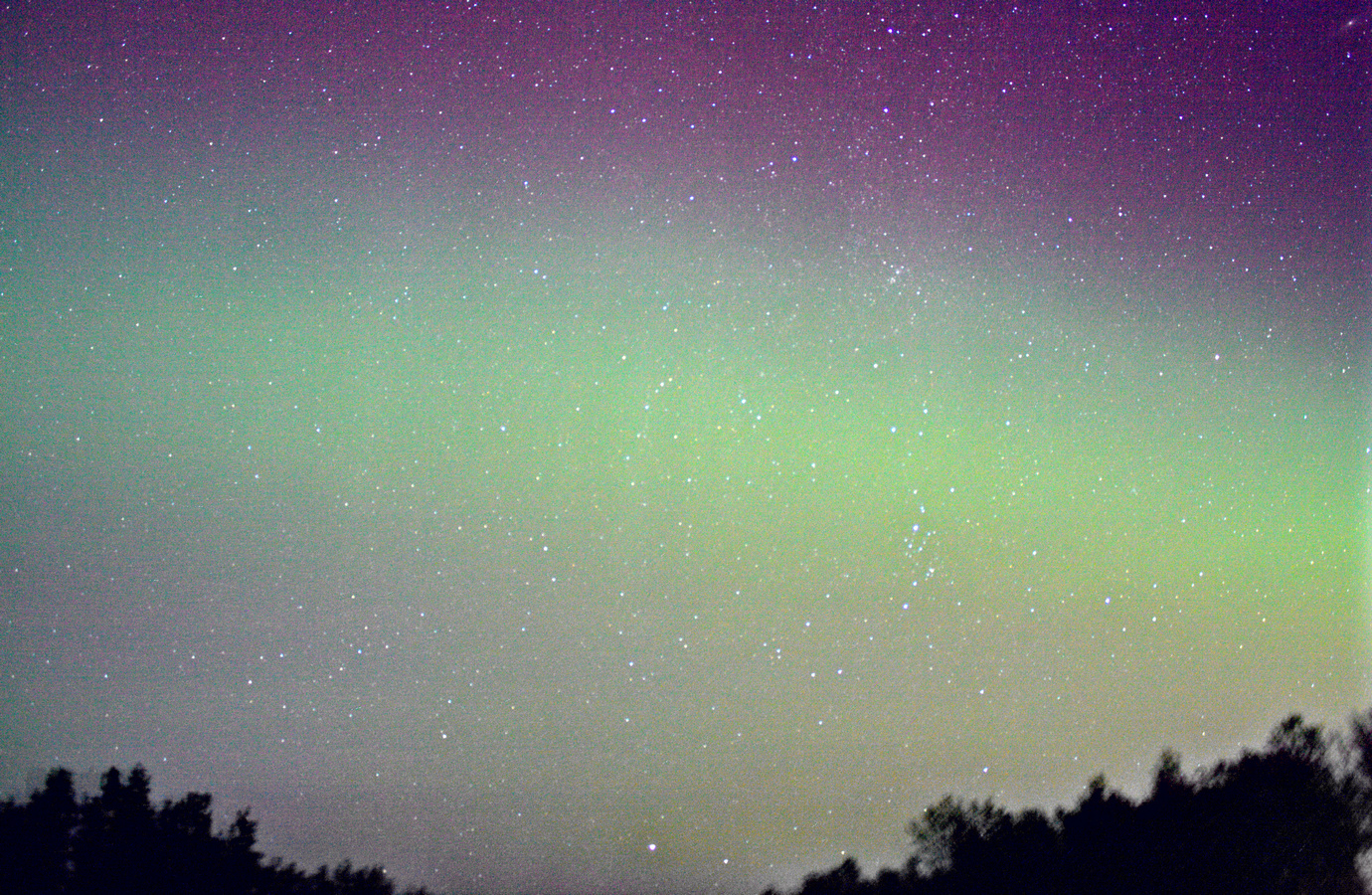
September 20, 2016 at 8:30 am #19126Austin VinarParticipantHere is a stack of the northern lights last night.
Attachments:
September 20, 2016 at 3:43 pm #19131ModeratorBeautiful colors! I see it’s pretty noisy, what ISO was it shot at? Did you push the exposure in post-processing?
-
AuthorPosts

You must be logged in to reply to this topic.