
Home › Forums › Photo Critique › Sandy Lake Sunrise
- This topic has 10 replies, 5 voices, and was last updated 11 years, 1 month ago by
 James Staddon.
-
AuthorPosts
-
July 18, 2015 at 10:58 am #12225
Dan Cope
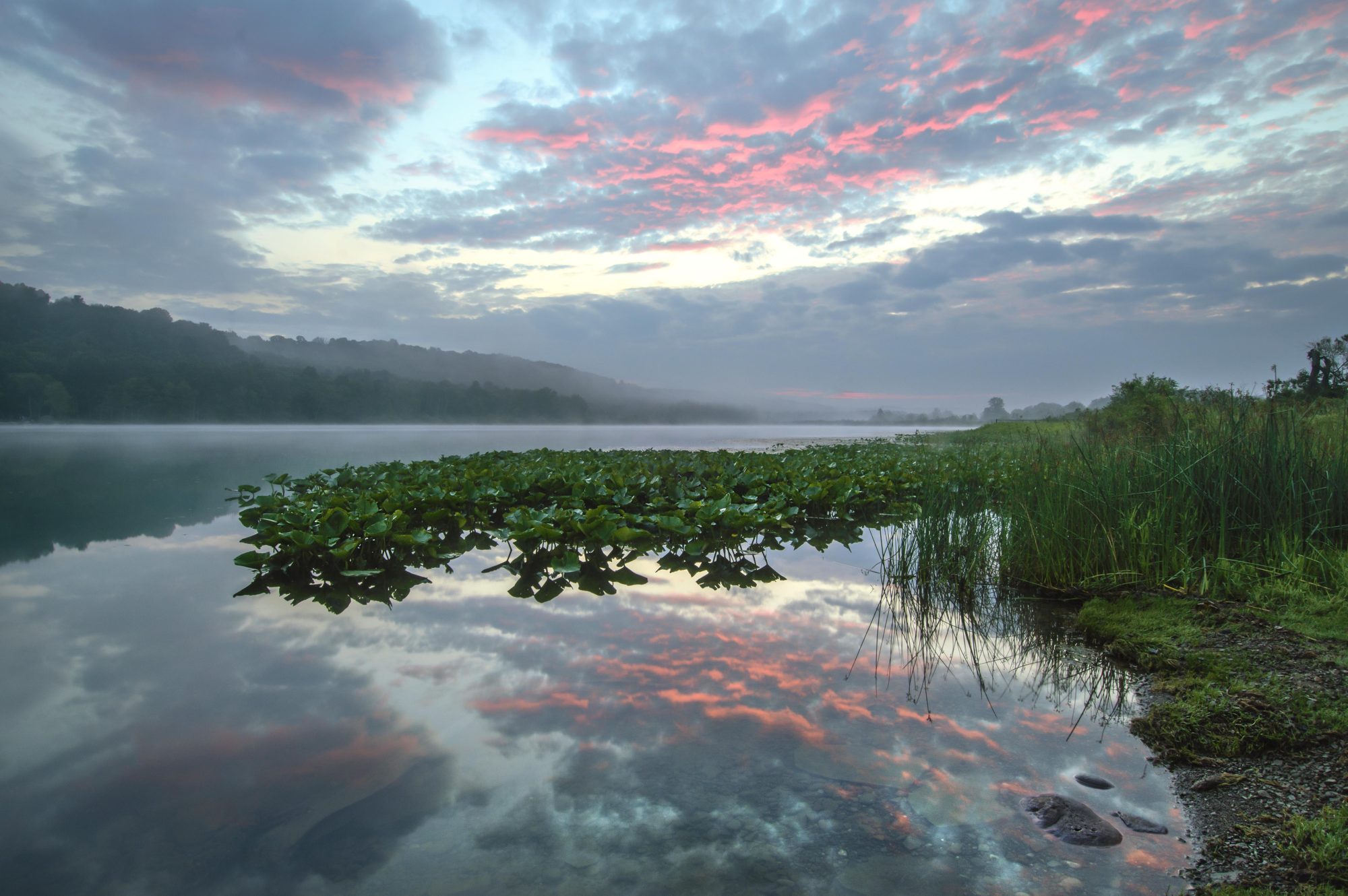
ParticipantI posted this photo in a thread under “Image Editing”, but thought I’d put it up here for some specific discussion on this particular shot. I was at a church youth camp near this lake and went out early hoping for a colorful sunrise. I wasn’t disappointed! I had set up my camera and was thinking about how I wanted to compose a shot when the color started appearing in the sky, and I started scrambling to find the best composition that would include a reflection in the lake. I wanted to include something of interest in the foreground without blocking out the reflection. There wasn’t much there except the plain grassy shoreline and these plants out in the water. Later, (after most of the color was gone from the sky) I composed another shot by wading out in the water and making the plants more dominate in the foreground. I thought it made a better composition overall, but of course it would have eliminated the reflection that I was trying to capture. So, part of the learning process here for me is how to compose a “reflection shot” when the only thing interesting to reflect is the color in the sky.
ISO 100
f/16
1 sec
12mmAttachments:
July 21, 2015 at 8:26 am #12242 David FrazerParticipant
Nice! One thing I notice is that the reflected sky looks better than the actual sky. It seems more dynamic. I realise that sometimes that really happens, but is seems strange to have the reflection more dynamic than the original…
July 21, 2015 at 11:03 am #12263ParticipantYes I see what you’re saying, and I noticed that myself. The more red/pink hue of the clouds in the sky is closer to the color that I was actually seeing in person, so I tried to bring that out in PS by doing a color range selection and making localized adjustments with a color balance layer. I believe what happened was that the color of the reflection was just enough darker or slightly different than the actual clouds that it was not affected quite the same with the color adjustment that I made.
August 3, 2015 at 11:06 am #12517 James StaddonKeymaster
Difficult spot, but definitely a genius way to capture it.
I think the foreground plants really make this shot interesting. I like how the pond wraps around them on the left and continues on deep into the scene behind them. Adds depth. Composition-wise, this is an amazing shot.
I’m not sure about how I would go about editing it. Seems like you’ve done some good work in Photoshop, but the color in the sky just isn’t right. I know from experience that those colors seem just impossible to reproduce on the screen or in print. Perhaps it is impossible. At any rate, I’ve not figured out how to edit them to pull out their vibrancy. I’d like to know if anyone else has ideas, like @Nasa.
About the Photoshop editing part, I wonder if some of the ideas talked about in this video tutorial might help to make the overall picture more dynamic. If you’re going to spend time in Photoshop, I wonder if some of these tips might be helpful: https://www.youtube.com/watch?v=zSpyvMdRSlY The ideas were helpful for me.
August 3, 2015 at 1:22 pm #12523O. S.
Participant@dan cope, it looks as though the plants are a little too vibrant, and the sky less vibrant. I’m not sure how/if you could fix that, but nice composition!
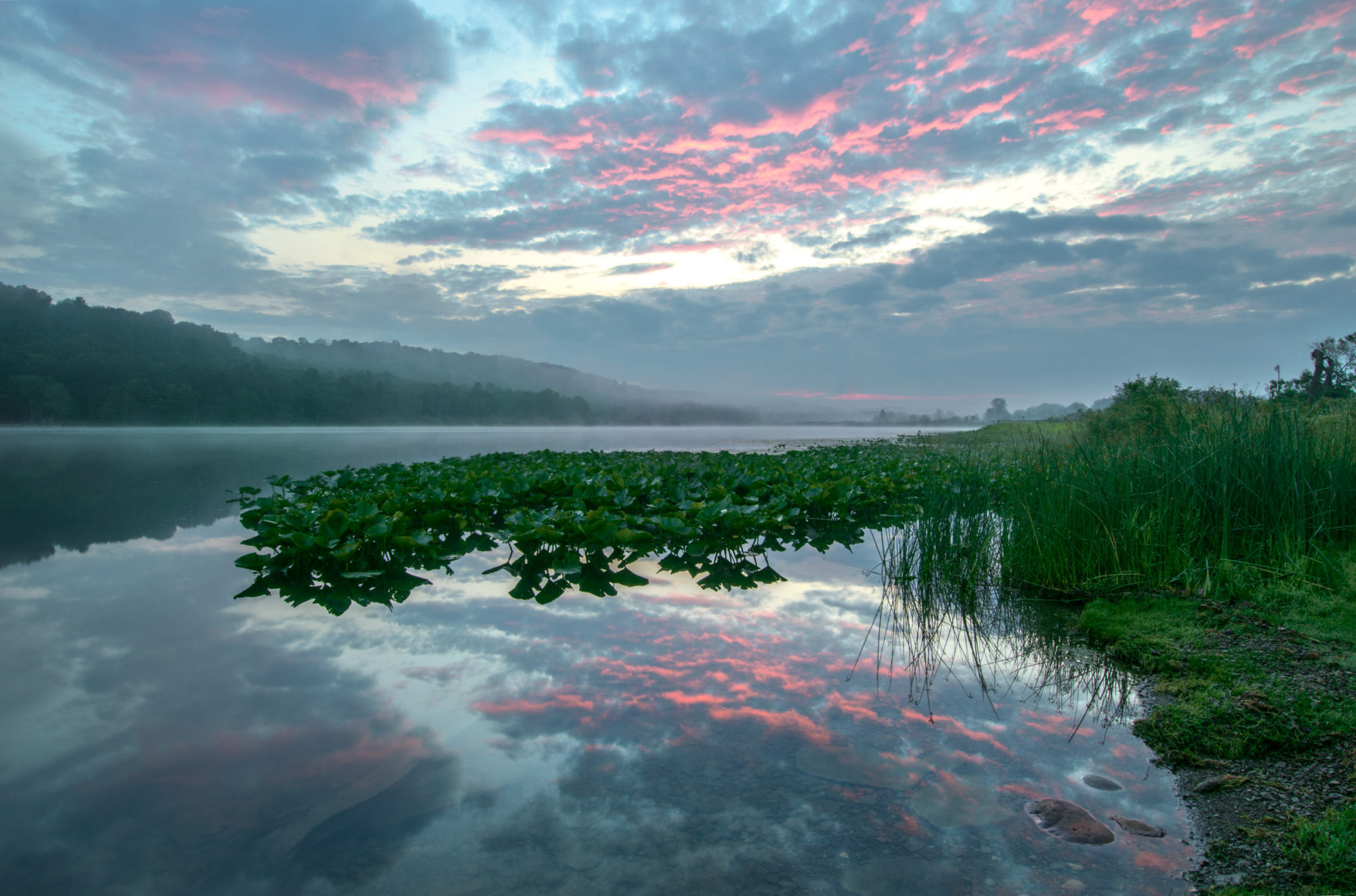
August 4, 2015 at 7:39 am #12538ParticipantThanks for the input! I’ve done some re-editing, so give me some feedback on how you think this looks.
Attachments:
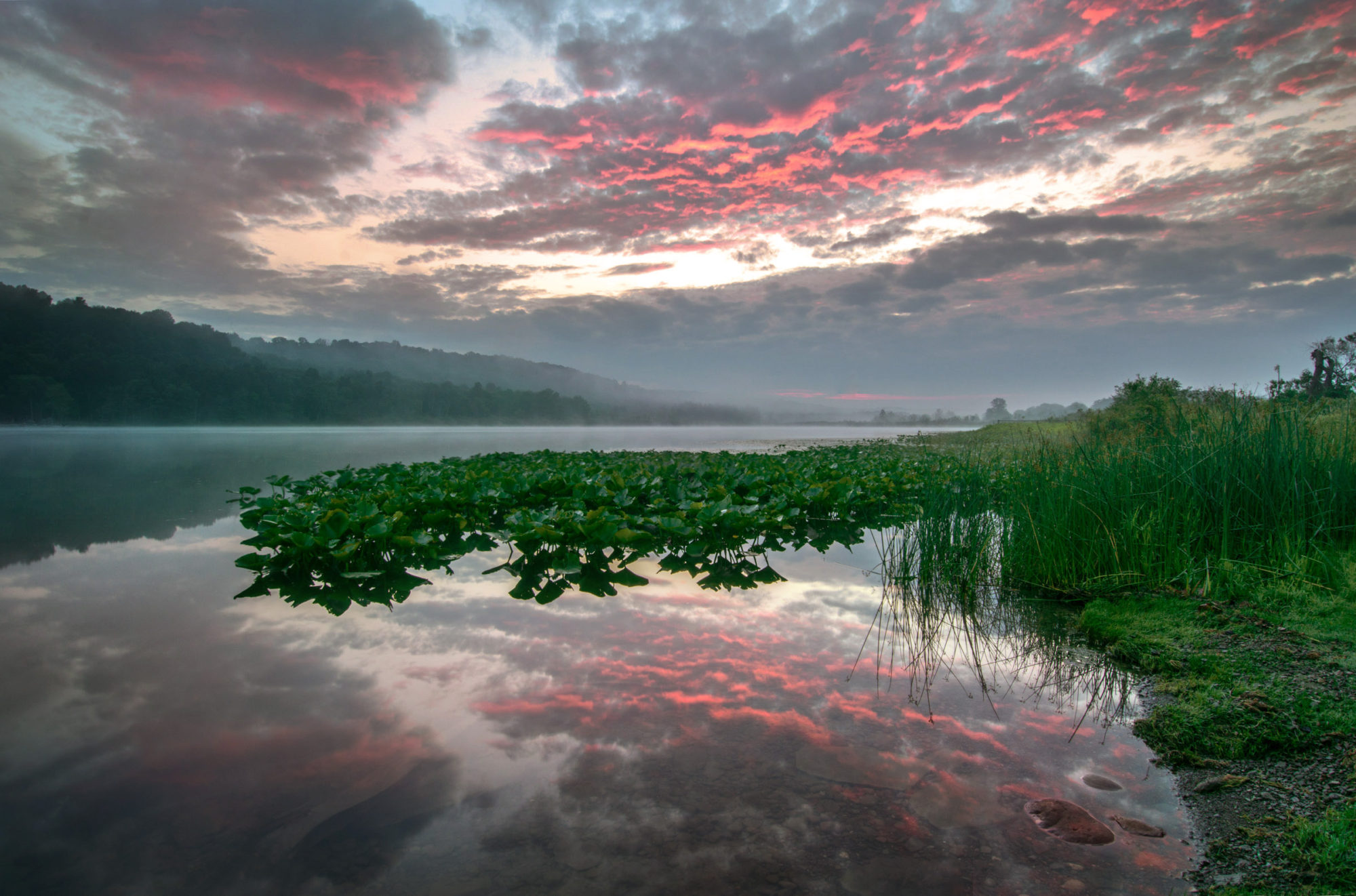
August 4, 2015 at 10:53 am #12550James StaddonKeymasterI went ahead and took the time to do some editing myself to see what it was like. Of course, I’m not working with the original file, but here’s what I came up with. Only you would know how far we’ve strayed from what it was like in reality. 🙂
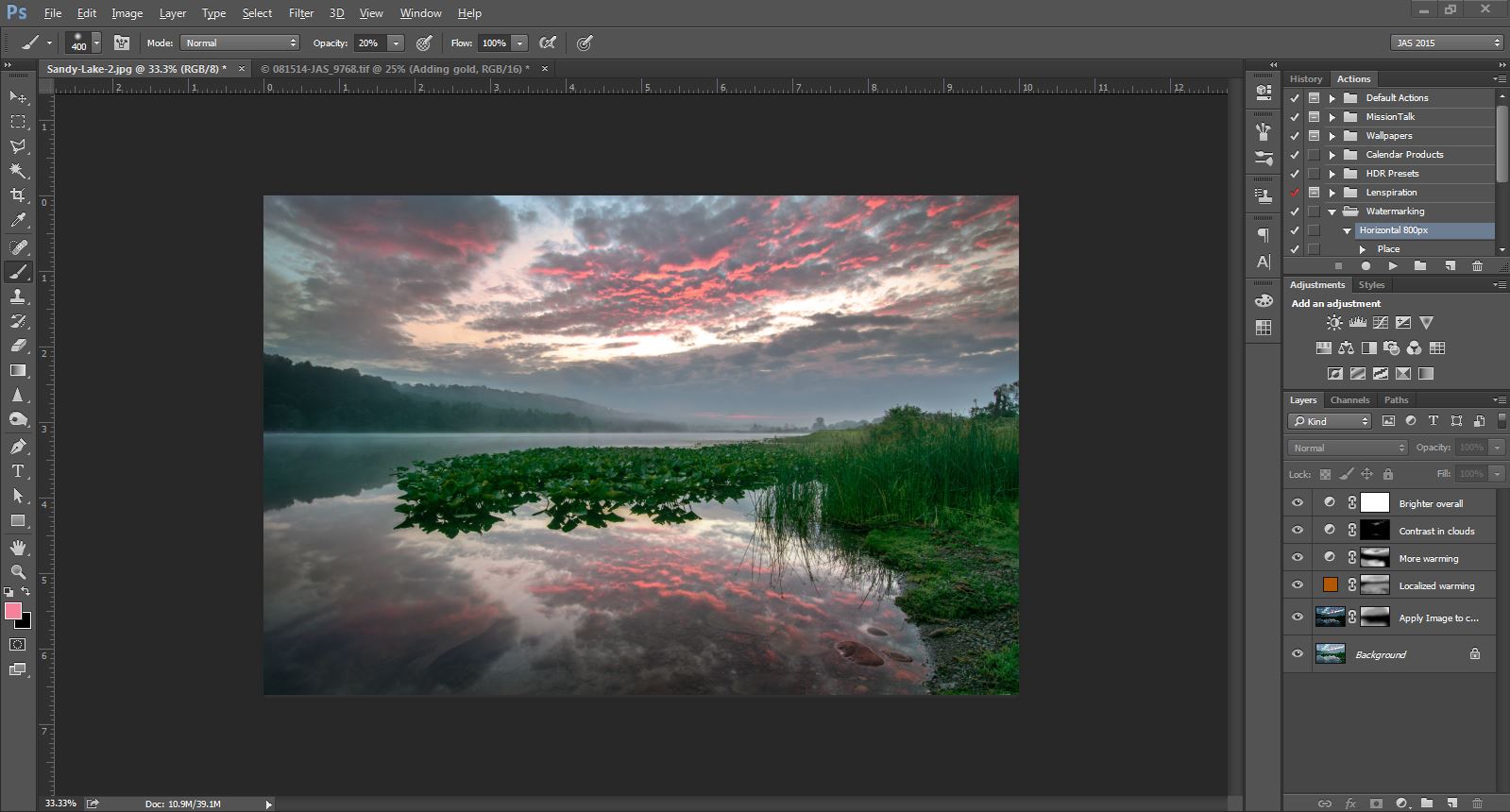
Here’s what I did:
Using the Apply Image feature, I darkened the edges and sky. The sky just seemed to bright to me. Then I added some warm tones to the sky and reflection. Blue was probably more natural, given the circumstances, but it just didn’t seem to match the light of the sunrise. I then added some localized contrast to the clouds. I was really trying to pull out red instead of pink, but to no avail so resorted to contrast mainly.
Those are my two cents at least!
Attachments:
August 4, 2015 at 11:05 am #12555ParticipantI like it! Although the bluish tint in my edit is more like what I was actually seeing in person.
It just seems like the full effect of that color in the clouds is reserved for those who rise early and see it for themselves! It’s one of those pictures where you can show everyone, but you always have to say, “It was far better in person!” I guess that’s really the way it is with every picture. In this case, it truly was magical how the pink and red appeared so brilliantly as I stood there watching. Made me feel like I was getting a small glimpse of Heaven!
August 5, 2015 at 8:10 am #12586James StaddonKeymasterYou’re right @dan-cope. The world belongs to those who rise early! 🙂
August 5, 2015 at 6:42 pm #12623 Nathanael & Samantha FrazerModerator
Wow, beautiful shot! Love the glassy look you captured in the water, and the mist in the hills. Makes me feel the chill of an early september morning. I don’t think I can remember every doing a shot like this where the primary foreground element is a reflection. I’m not sure I would have thought of it.
I’m afraid I don’t know about the colours. Somethings just don’t get digitized willingly.:D I’m unfamiliar with photoshop, using lightroom for 99.9% of my edits. In lightroom, my first bet would be in the HSL sliders, particularily the hue and the luminance of Aqua and Blue, and the saturation of whatever colour your eye-dropper says the redish-orangeish hue is. My bet would be to desaturate. you could add a gradient to increase the contrast in the sky if you want to emulate the lake, but that’s purely facultative.Oop, I just realized I didn’t post this, it looks like you got it!
August 6, 2015 at 7:51 am #12625James StaddonKeymasterOf course! HSL sliders. Hadn’t thought of that.
-
AuthorPosts


You must be logged in to reply to this topic.