
Home › Forums › Photography Q&A › Exporting from Photoshop
- This topic has 28 replies, 6 voices, and was last updated 1 year, 6 months ago by
 Blessings Captured.
-
AuthorPosts
-
March 10, 2025 at 9:40 pm #94072
 Blessings CapturedParticipant
I’m having a similar problem as @windyknollgoldens with exporting. But I’m trying to export and print from Photoshop. I’m using the “high quality print” setting and the file was originally set up as 300ppi, but when we print on your home printer the words(10pt) are fuzz.
We thought maybe it was low ink, but we printed from a different text program at 10pt and the words were fine and clear.
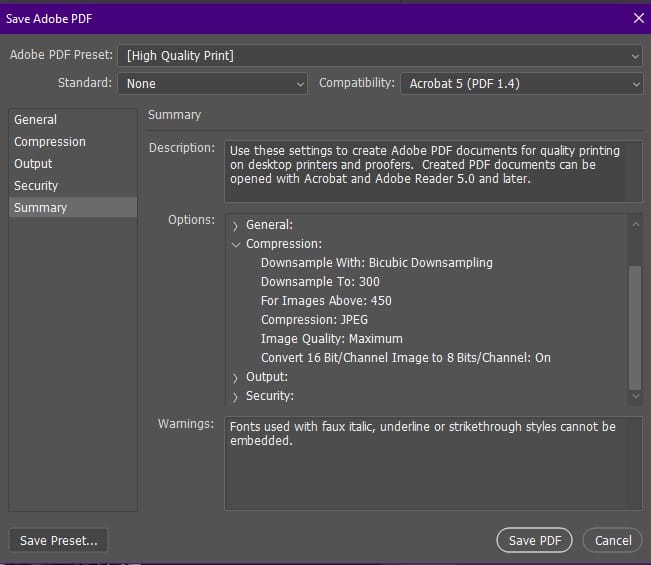
I’ve attached a screenshot of my export setting.
-Hannah
Attachments:
March 11, 2025 at 3:29 pm #94101 James StaddonKeymaster
That is so strange! @dfrazer or @buddingphotographer or @nasa…. would either of you know how to to troubleshoot this?
March 11, 2025 at 3:43 pm #94102 David FrazerParticipant
I’m not very familiar with Photoshop’s export as PDF function, but I am curious why you are exporting as PDF…
If you are wanting to print photos for just about any kind of print (large prints, canvass, etc) jpg is the preferred format.
If you are getting a commercial printer to print something like business cards, flyers, etc. Illustrator is a better tool if you have it. That will also allow you to get the bleed correct using their printing template. Most printers will also accept high-resolution JPG files, or you can use free software like Inkscape to create the PDF correctly.
-
This reply was modified 1 year, 6 months ago by
 David Frazer.
March 11, 2025 at 4:50 pm #94105Blessings CapturedParticipantI use photoshop for the few design project that I do every year. (Buying Photoshop AND Illustrator is out of my budget right now).
So in this instants, I’m helping my sister design a Bible tract.
I’ve never tried Inkscape, I’ll have to check into it. (Or a different Illustrator alternative.)
-
This reply was modified 1 year, 6 months ago by Blessings Captured.
March 12, 2025 at 1:52 am #94115Ezra Morley
ModeratorIf you export your project to a high quality JPG and print, does it still come out fuzzy? What about if you zoom in on the PDF file, does the font text stay crisp (it should), or does it get pixelated?
I agree that PS may not be the ideal tool for this job, but it should certainly be capable. 🙂
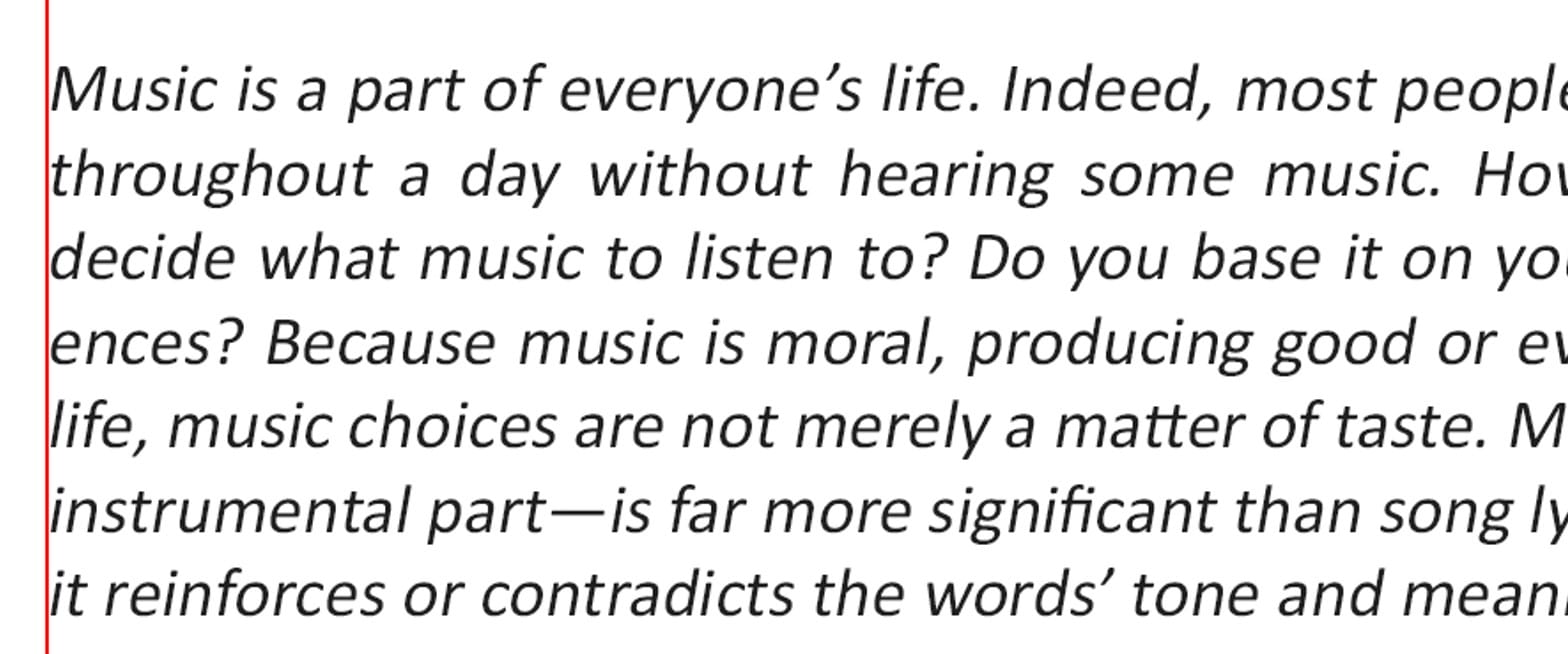
March 12, 2025 at 10:11 am #94116Blessings CapturedParticipantLooking on my computer at a 500% zoom of both a pdf and a jpg they both look the same. (See attachments)
I tried printing as a JPG and it was much better but not as crisps as printing from a different program.
Thanks for helping us trouble shoot this!
Attachments:
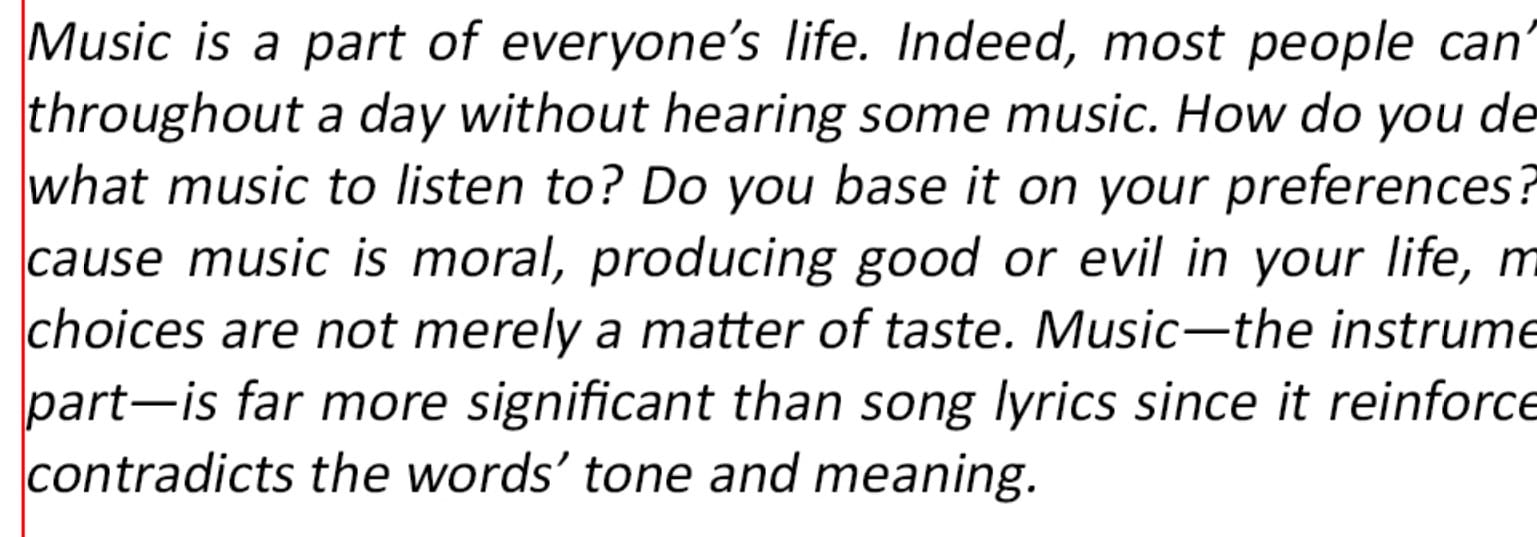
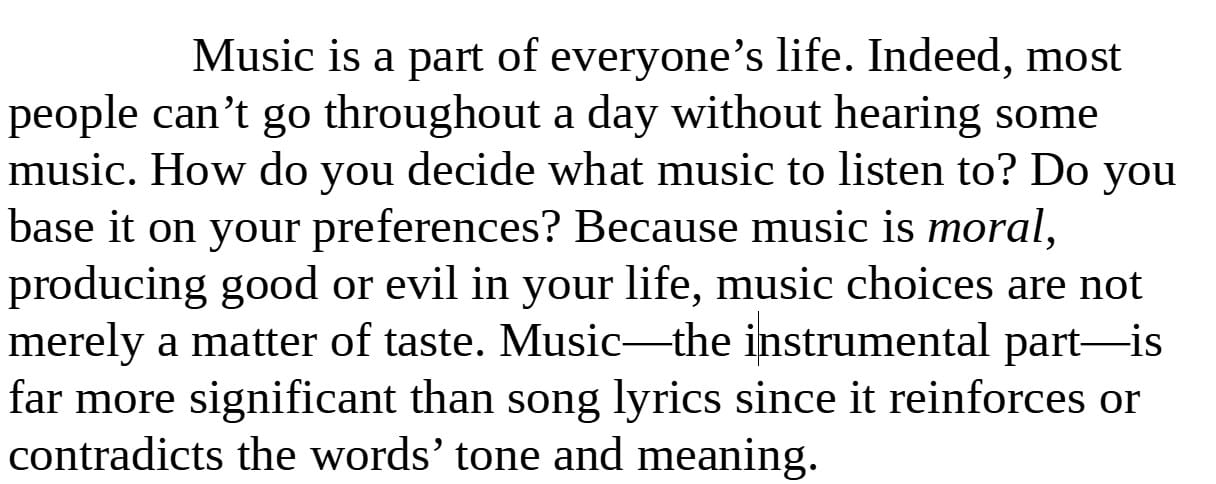
March 12, 2025 at 10:19 am #94119Blessings CapturedParticipantHere’s a snip(500%) from our other document program(LibreOffice) and it does look crisper.
I’m using a different font in PS, would that make a difference?Attachments:
March 13, 2025 at 5:24 am #94173ModeratorInteresting. Thanks for the additional info. Sounds like the font is getting rasterized somehow, which is why it doesn’t print as clearly as a “plain” text document. But your printer/driver settings can also affect the print quality. Maybe try printing the PS export with “photo” or “best” quality (in your printer driver settings) to see if the results are better? You could also try a 600 DPI export instead of 300 to see if that helps any.
Like @dfrazer said, PS definitely is not ideal or recommended for text layout jobs. For graphics, yes, but it’s not intended for text layout.
Here’s some advice I found online that might help avoid text being rasterized:
Whenever you want to create a PDF in Photoshop, that is a huge red flag regarding the workflow. But here goes:
Arrange your document so that all raster layers are at the bottom, then shape layers, and on top any text layers. This will help prevent partial rasterisation of the text. Closely inspect the PDF for errors after saving.
If you are trying to prepare a print-ready PDF there will be more considerations, but I will not dig into that now.
Save original as PSD. Save a copy as PDF. Never use the “smallest file size” preset. It is junk. Start with the “high quality print” preset instead, uncheck “preserve Photoshop compatibility”, and adapt the other settings to match the requirements of your document (mainly image resolution/quality, and output color conversion/profile).
(Source: https://www.reddit.com/r/photoshop/comments/1ahw9za/troubleshooting_with_exported_pdf_photoshop/)
March 13, 2025 at 5:26 am #94174ModeratorAnother thing. In your original post, the screenshot shows a “warning” about fonts used with faux italics, etc. That may be your issue. Try making a copy of your PS doc and removing any italics or even selecting a different font (a common one like Times New Roman). Then export and print, and see if the text comes out clear.
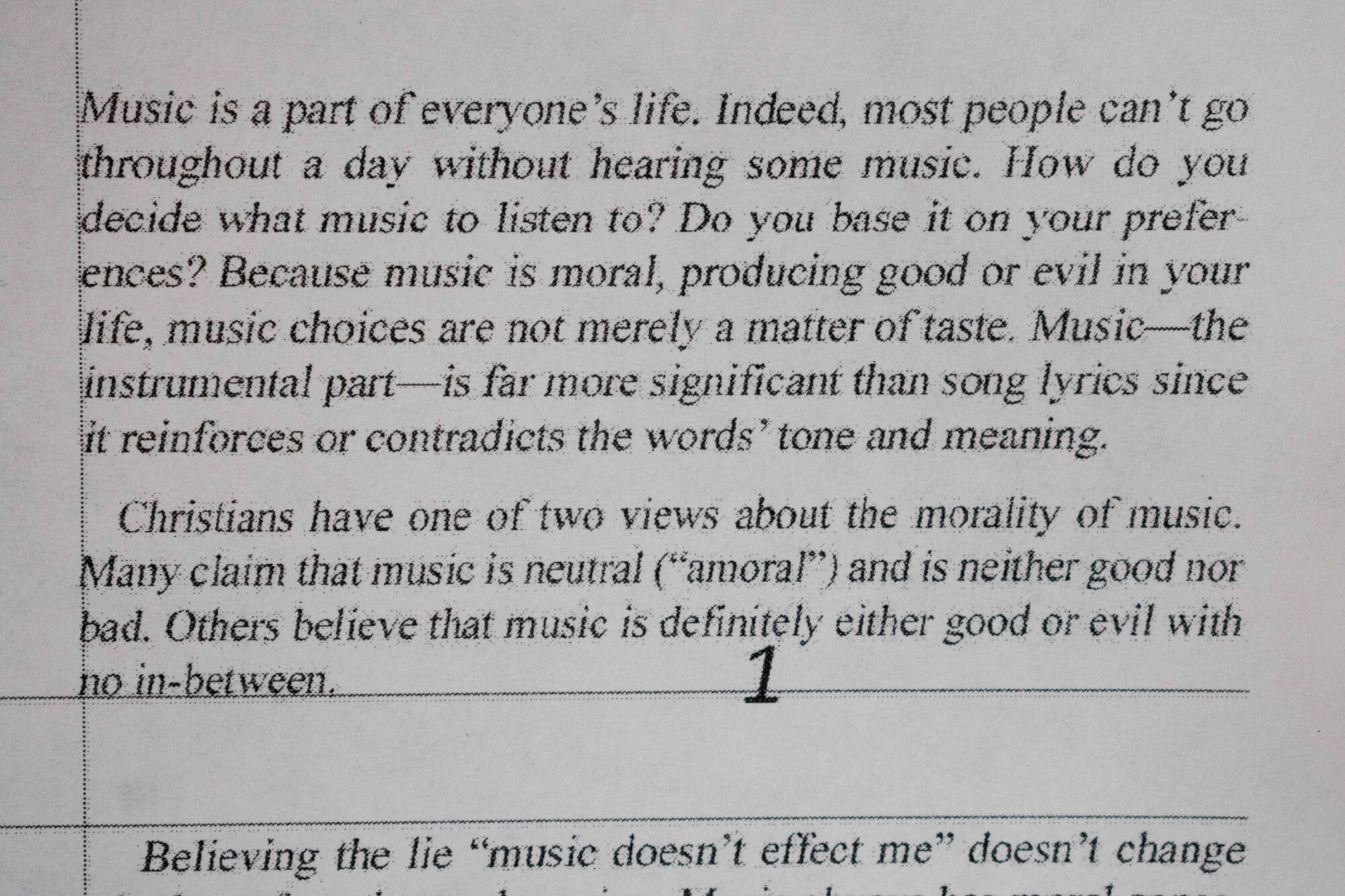
March 15, 2025 at 10:14 am #94235Blessings CapturedParticipantI’ve tried the things you suggested. Putting all the text on the top layers; changing everything to “times new Roman”, and unchecking “preserve Photoshop compatibility”. Unfortunately, it has made any improvements. I took a picture of the print that we got.
I’d like to change to a different program for text work like this.(Any recommendations would be appreciated). But I’d still like to figure out how to make pdf’s in PS for other applications that I do. (I use it to design my calendar, and picture-heavy newspaper ads.)
Attachments:
March 15, 2025 at 12:12 pm #94240David FrazerParticipantInkscape is a free alternative to Illustrator and is available for Mac, Windows, and Linux. That is the program I tend to use for the occasional design projects I have, and I have met one professional freelance graphics designer who uses it non exclusively.
Affinity Designer is a popular one-time payment alternative (around 60us$) and is available on Mac, windows, and iPad.
There are probably others as well.
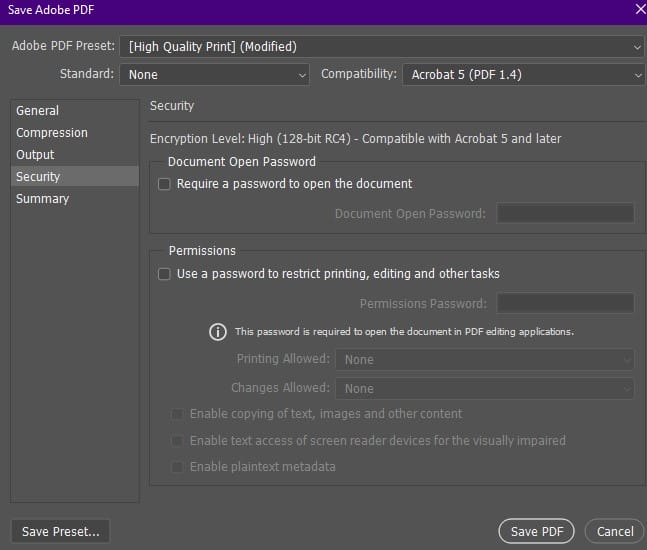
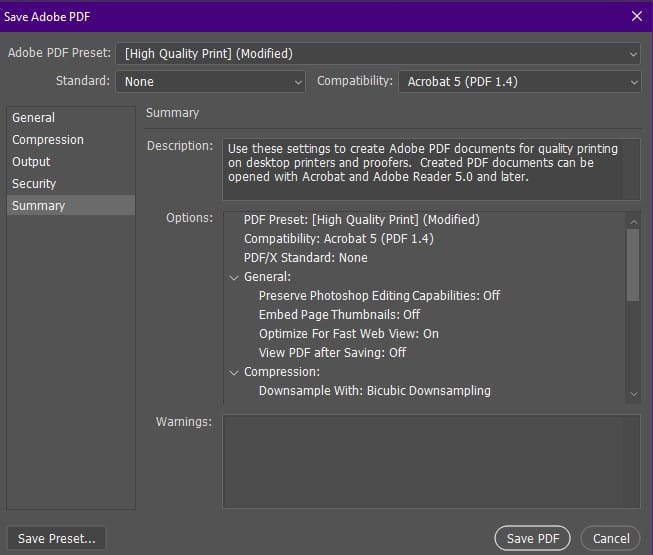
March 15, 2025 at 2:11 pm #94241ModeratorStrange. It looks to me like the printer is printing compression artifacts. Can you upload a sample PDF file that won’t print off correctly so we can examine it? I don’t have Photoshop, so I’m kinda hampered in trying to troubleshoot. Can you send screenshots of the other screens in the PDF export dialog as well?
Another thing to try would be to make a brand new PS doc with a white background. Add some text (no italics or anything fancy) and save as a PDF. Just a single text layer, nothing else. Does it export and print clearly?
March 15, 2025 at 2:11 pm #94242 Loewen FamilyParticipant
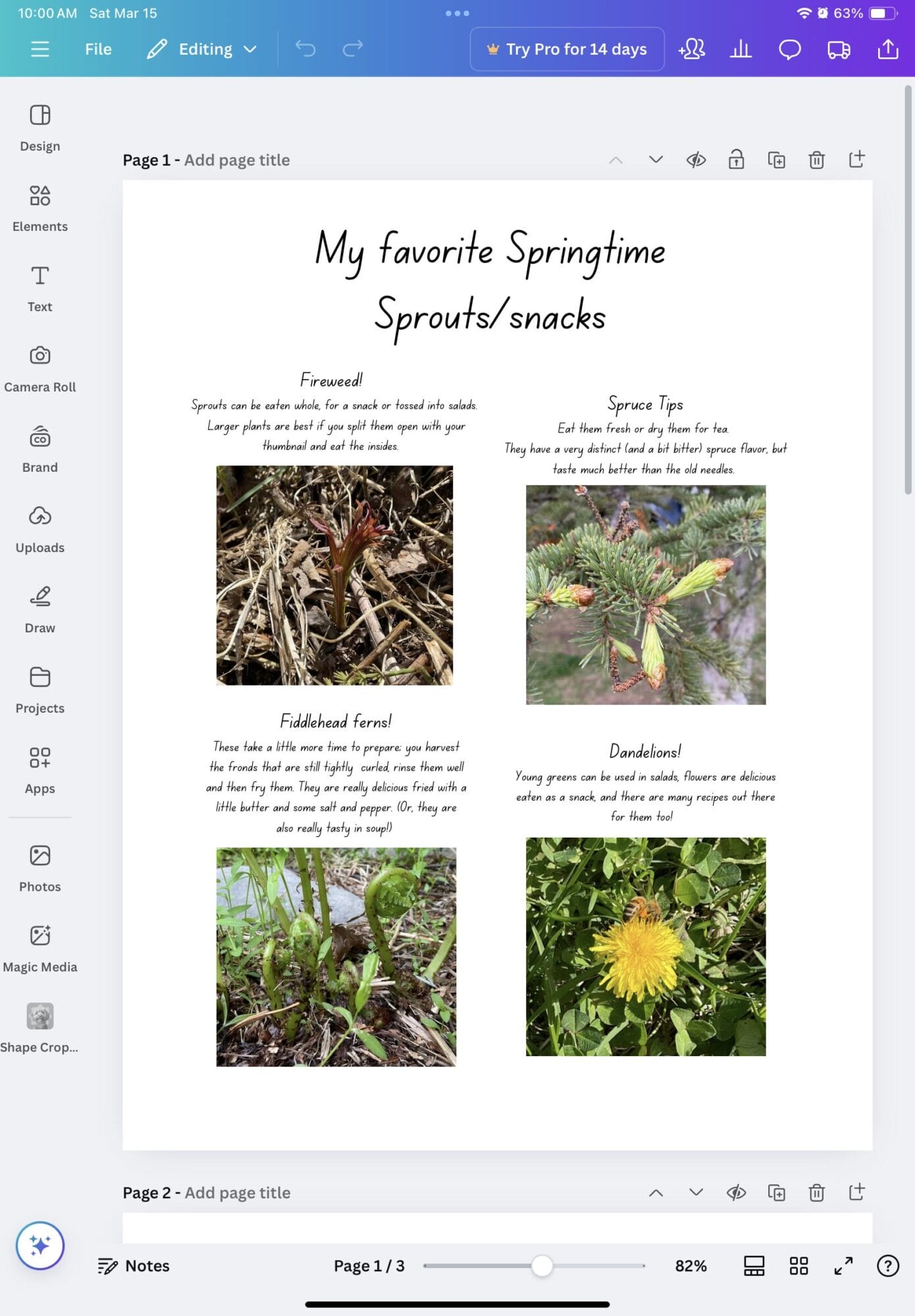
I’m just jumping in on the conversation here😊 I absolutely love Canva!!! It is really easy to work with text and get it where you want it. And you can easily add pictures to the page too. You don’t have to pay anything to get the regular version, but there will be a fair amount of things that are reserved for the pro version. You can get the app or use it online.
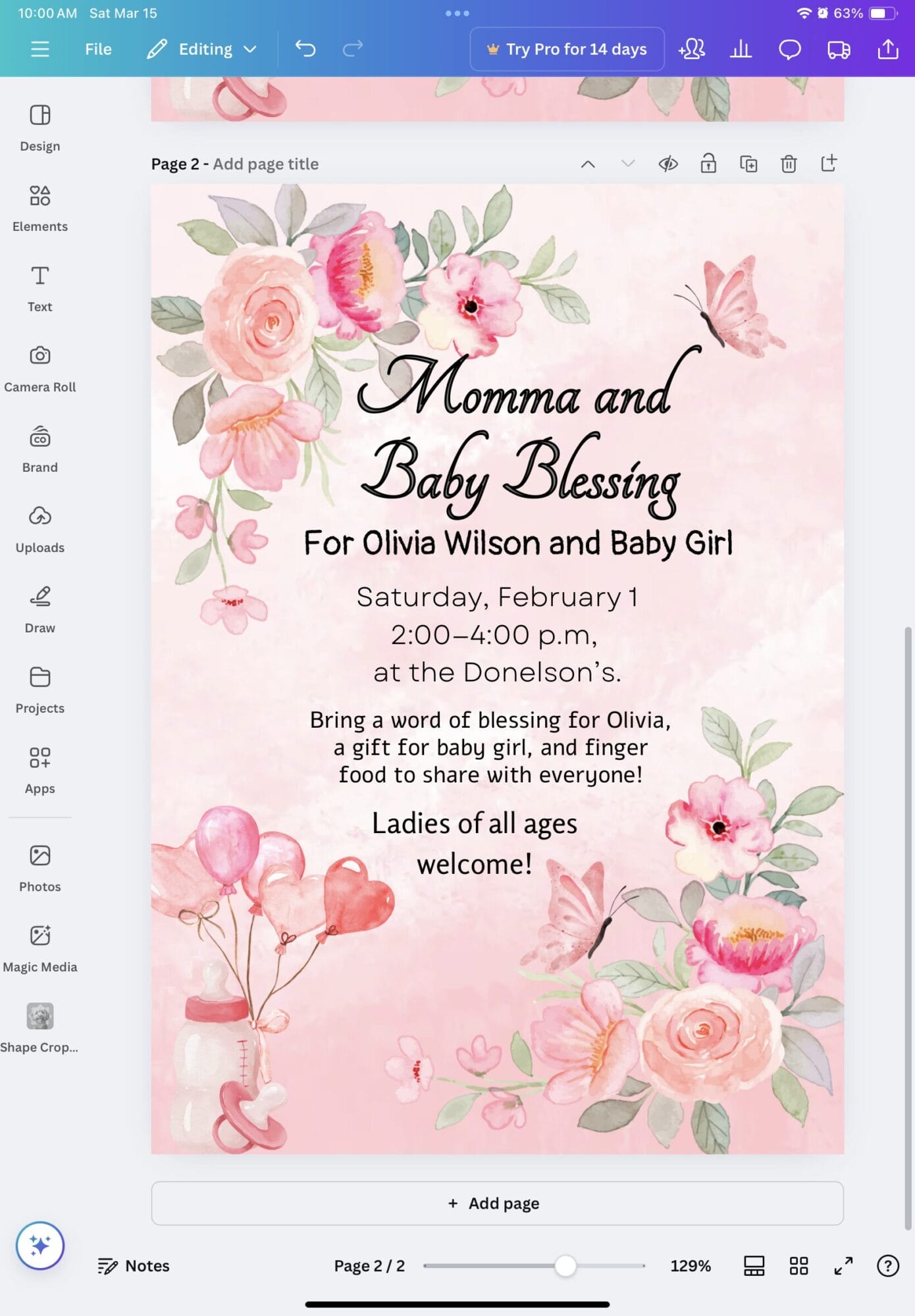
I’ll attach here two projects I’ve done with it: The first one is a Work-sample for my homeschool program, and it shows how you can combine pictures and text, which is SO handy. The second is a graphic for a baby shower that I made from scratch with the elements they have. They have millions, literally.
(And I changed the name on the baby shower thing to a common one in their templates😁)
Anyway, hope you find what you need!
LeanneAttachments:
March 15, 2025 at 8:52 pm #94261Blessings CapturedParticipantThank you @loewfam and @dfrazer for the program recommendations! I’ll be checking them out.
I’m attaching the pdf. We don’t have it all finished with the design. It’s sized to print on legal paper. When we set the printer to “fit” it doesn’t cut anything off. (I just thought of this, could that be were we’re getting the compression artifacts?)
I’ll try the plain pdf without having it “fit”.
-
This reply was modified 1 year, 6 months ago by Blessings Captured.
Attachments:
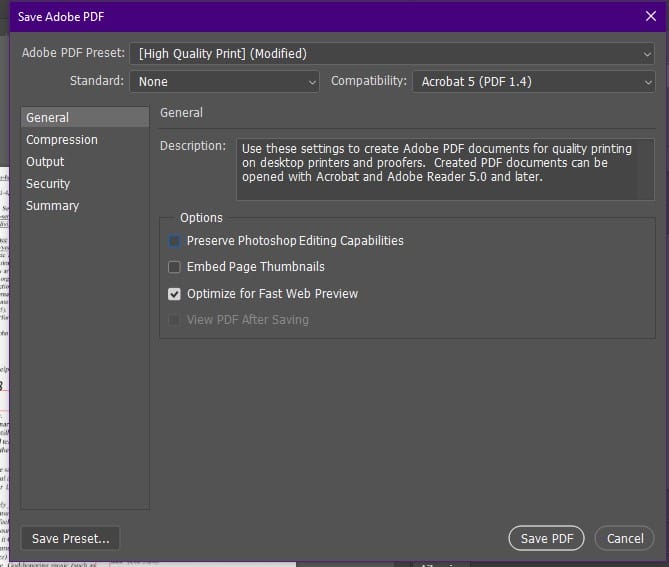
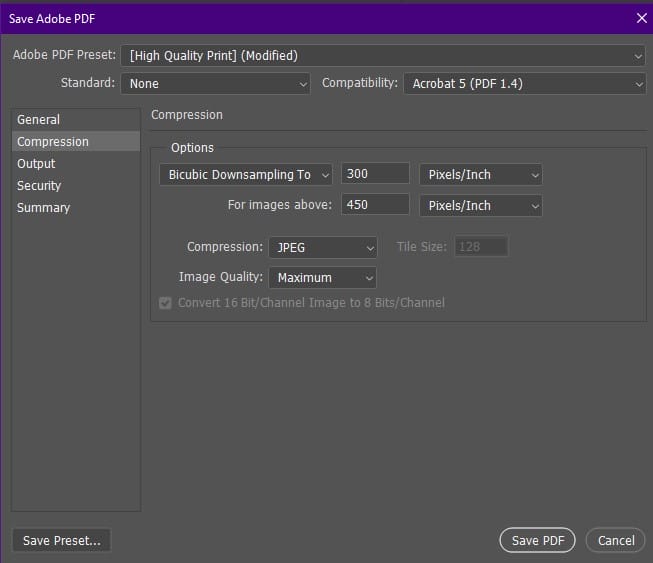
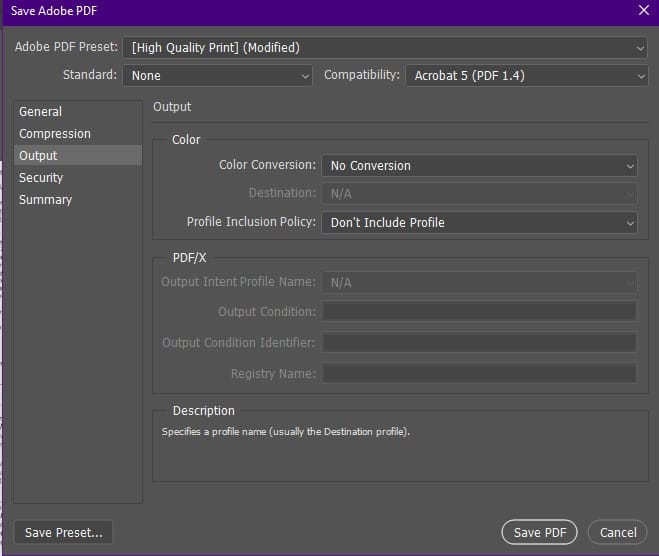
March 15, 2025 at 8:57 pm #94265Blessings CapturedParticipantHere are the export dialogs.
Attachments:
-
AuthorPosts


You must be logged in to reply to this topic.