
Home › Forums › Photo Critique › Snowy Morning edit
- This topic has 13 replies, 4 voices, and was last updated 1 year, 7 months ago by
 Blessings Captured.
-
AuthorPosts
-
March 3, 2025 at 11:17 am #93895
 Blessings CapturedParticipant
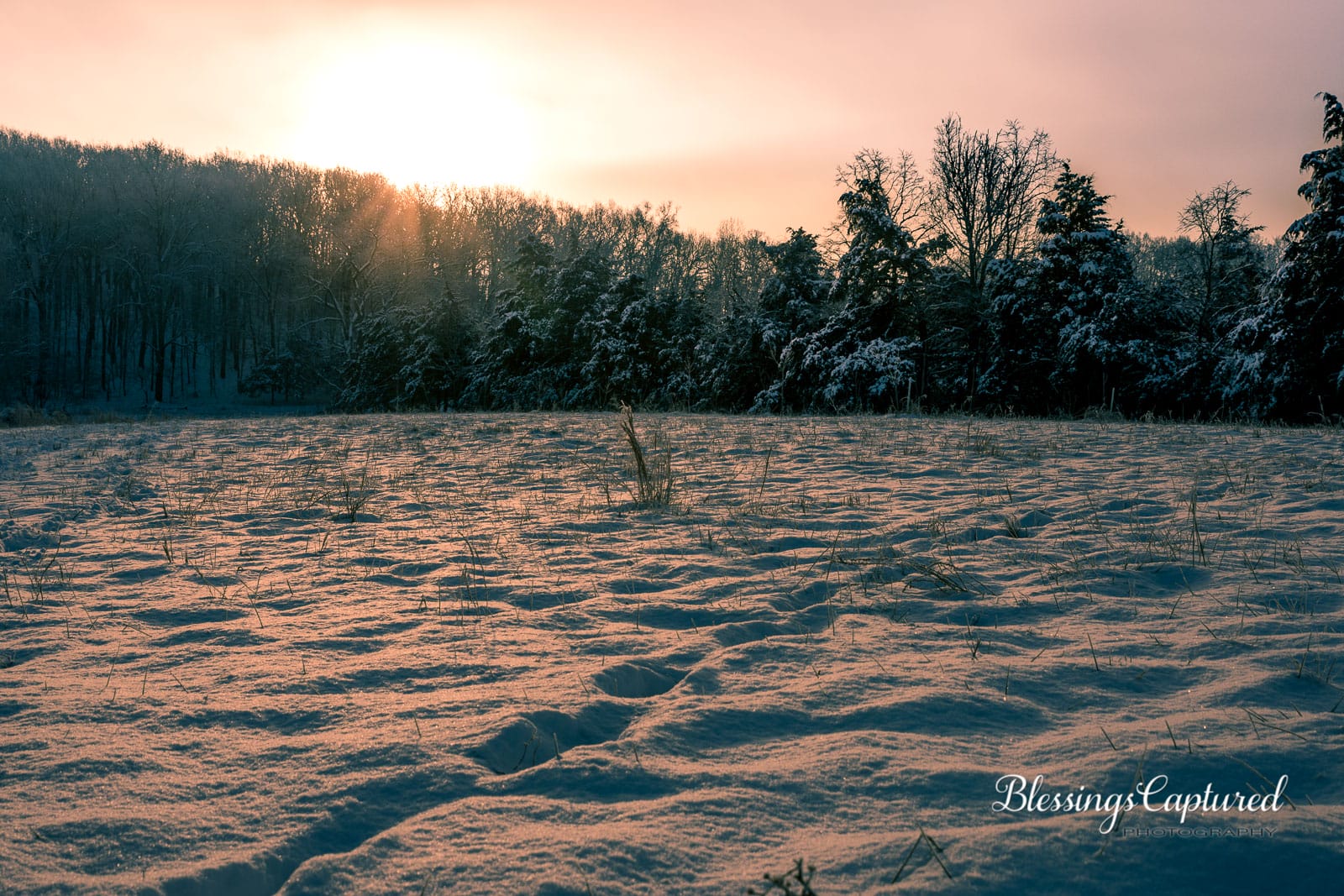
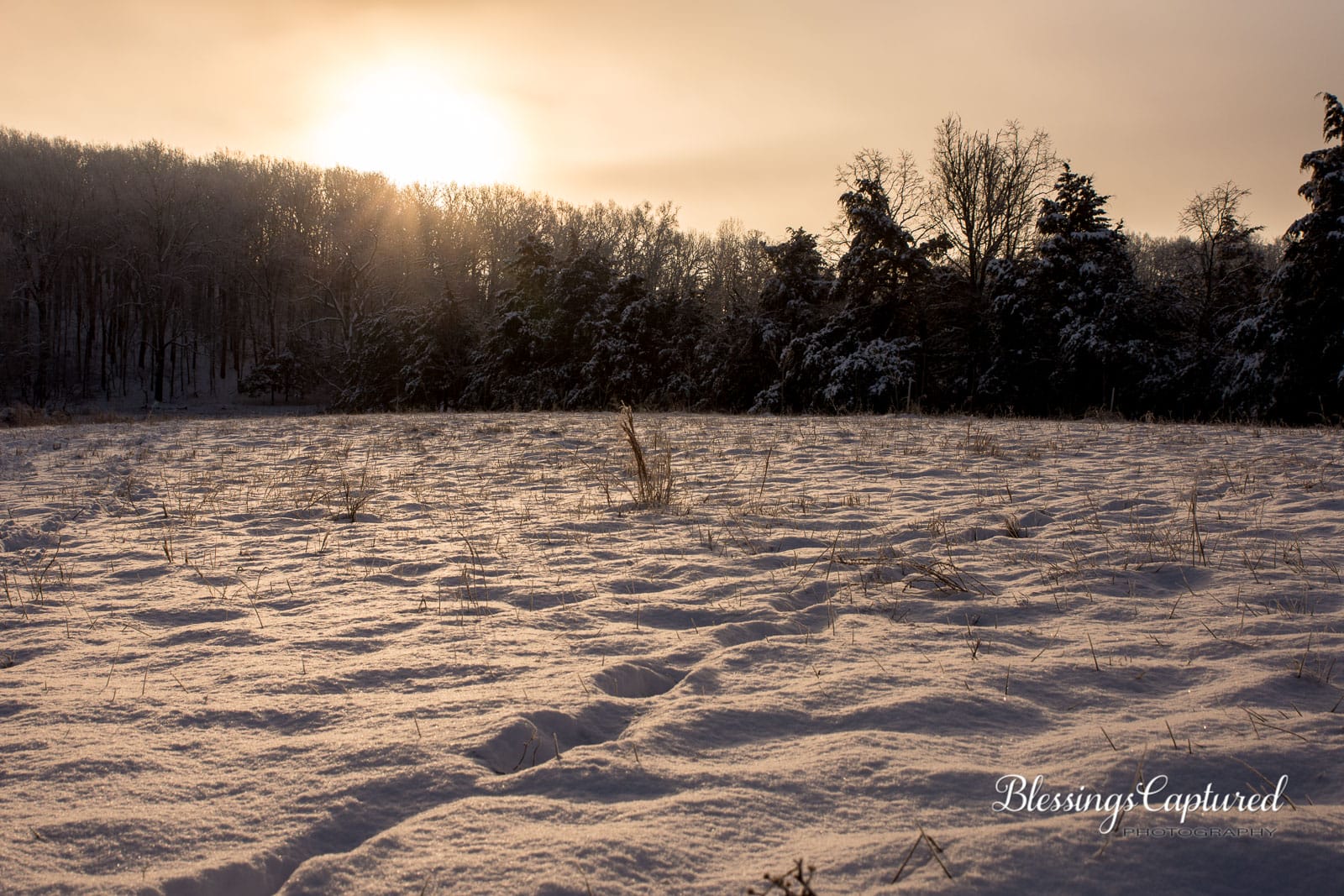
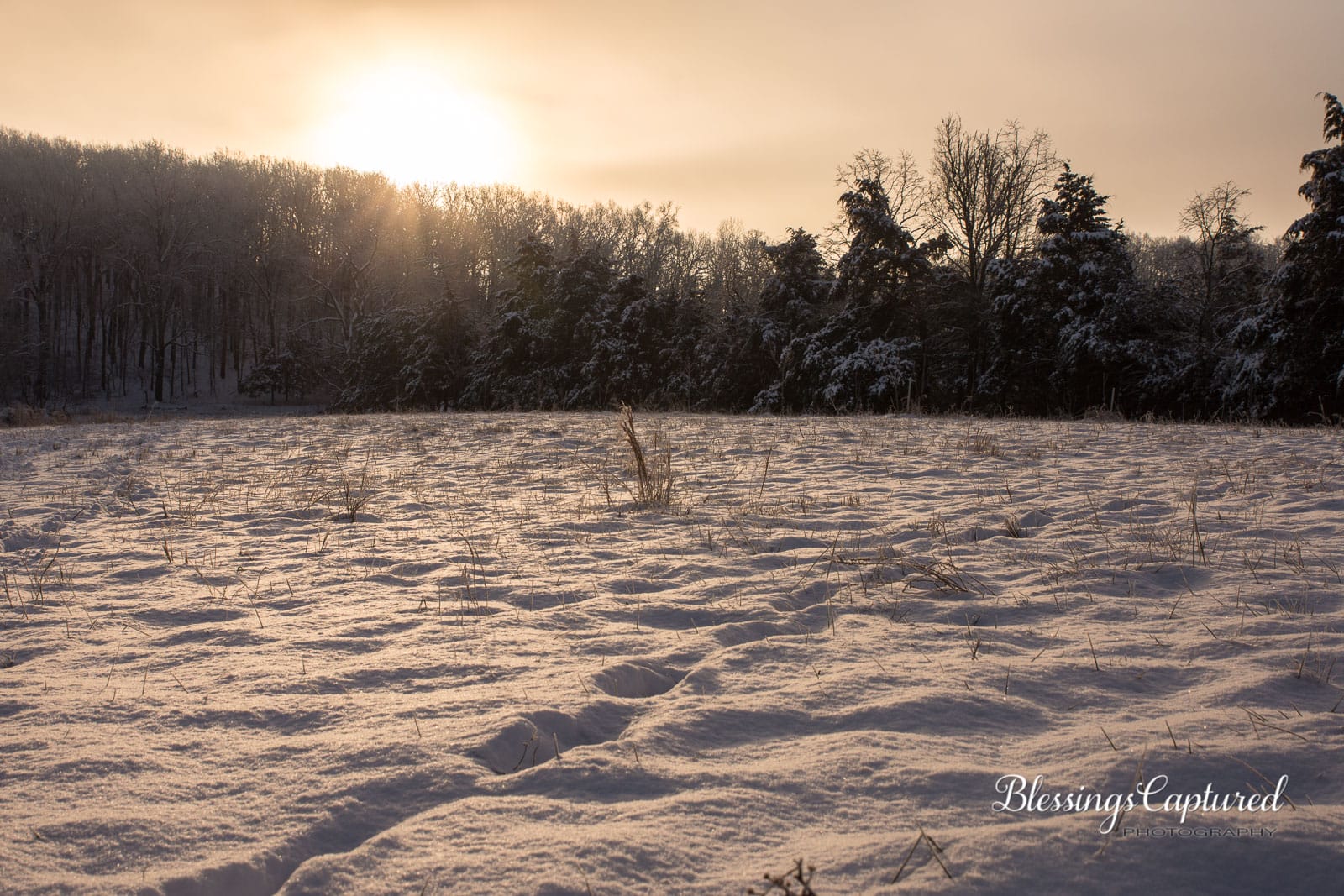
I like this picture from the end of a early morning of photographing. Now on my computer I’m looking at how to best edit it to look natural.
Do you think it looks to warm from being slightly under-exposed? Does it have enough clarity? How do the extra photoshopped sunrays look?
Camera settings are in the file name.
Thank you for any advise, thoughts and help!
-HannahAttachments:
March 8, 2025 at 2:43 pm #94039Sam Fisher
ParticipantNow that the snow has melt, maybe some new landscapes from the same spot?
March 8, 2025 at 7:46 pm #94045Blessings CapturedParticipant@kujiaaa I’ll have to get out some morning and try a early spring version and then a spring one.
March 10, 2025 at 5:20 pm #94068 James StaddonKeymaster
Beautiful time to be out photographing! It does seem a little odd that the snow is so warm. You did a great job editing in the extra sun rays! Have you tried a ultra-cool temperature edit?
March 10, 2025 at 9:42 pm #94074Blessings CapturedParticipantNo, haven’t done a cool edit. I’ll have to try that.
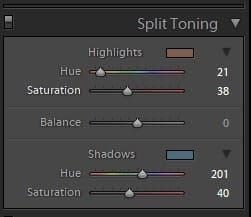
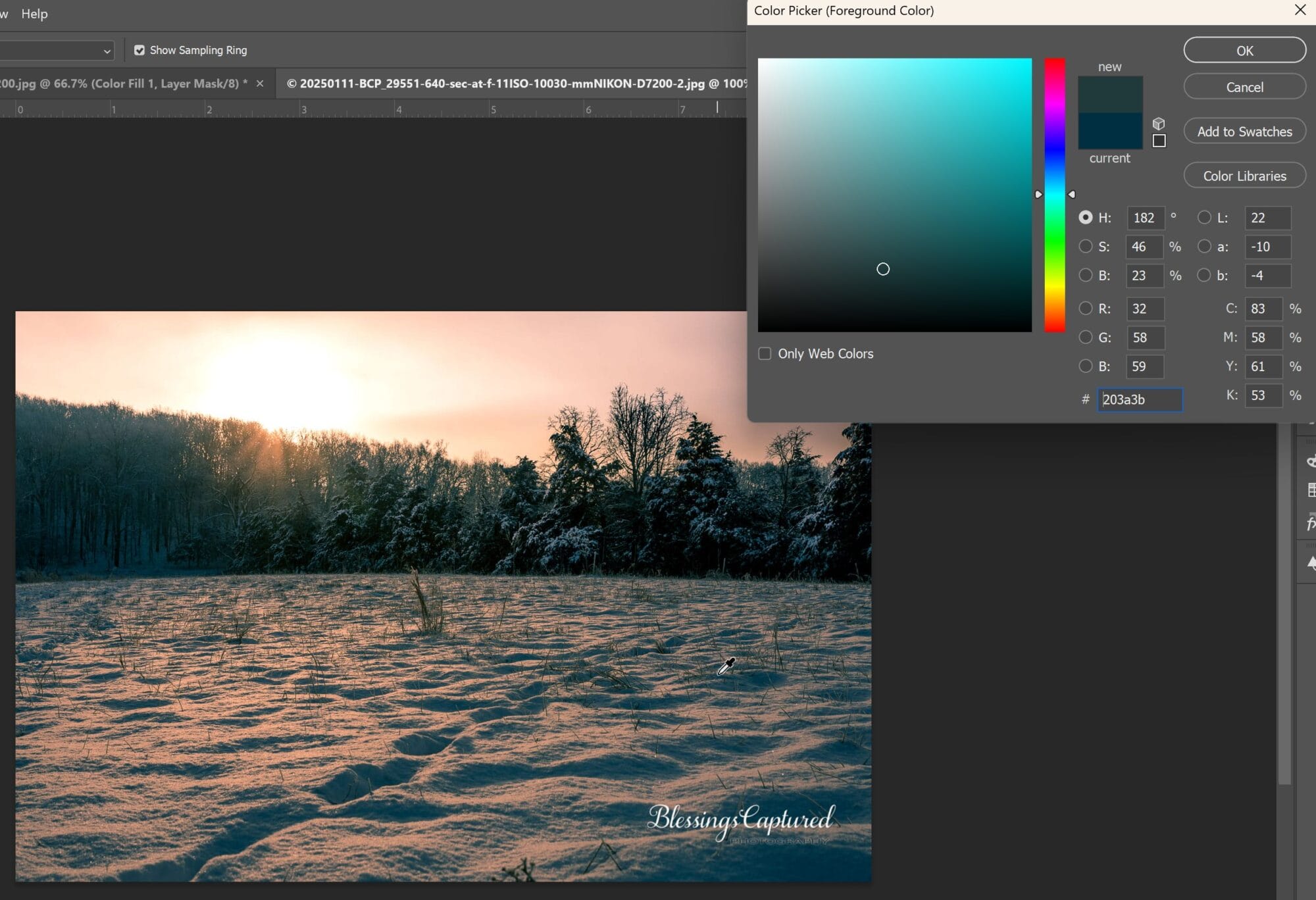
Thanks for the idea!March 11, 2025 at 11:55 am #94081Blessings CapturedParticipantI did this cooler edit. Overall I cooled it down slightly, but then I did some split toning. I like how having it cooler brought out the highlights on the snow. So that’s what I was trying enhance through the split toning.
Attachments:
March 11, 2025 at 3:27 pm #94099James StaddonKeymasterNice. I tried a more “temperature only” approach with a mask, and it doesn’t look a good as your split toning method.
It appears your blues might have a bit too much of a greenish tinge, so I’m not sure if that is actually possible to change.
Attachments:
March 11, 2025 at 4:54 pm #94106Blessings CapturedParticipantIn the split toning, I didn’t know how to pick a good color. I just eyed it.
I don’t think I’ve ever used PS to make mask by color, or would you do it “select by color range”. I’ve done that. It would be nice to learn better.March 26, 2025 at 3:36 pm #94743 Lydia BennettKeymaster
If you’re working for a natural look to the edit, I’m not sure it’s quite there yet. It’s hard to place my finger on it without being able to play around with edits on the image myself, but the colors (or color combos?) don’t feel quite natural, to me at least.
It doesn’t look like the easiest photo to edit! But I’d agree that the original edit was too warm. I wonder if you went with a little simpler of an edit – just cooling it down and brightening it up a bit, if that might help?
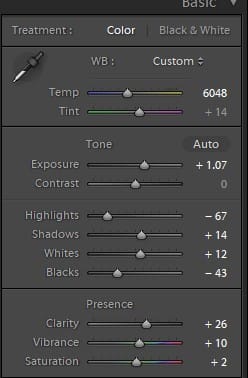
March 27, 2025 at 9:56 am #94752Blessings CapturedParticipantThat’s a good suggestion to try a simple edit. How does this edit look?
Attachments:
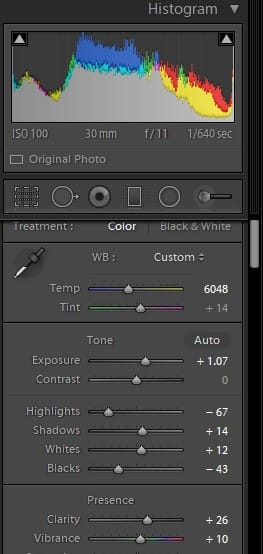
March 27, 2025 at 10:54 am #94755Lydia BennettKeymasterYeah, I’d say that’s tending more towards something I’d see in real life! What’s your histogram looking like? The blacks seem clipped to me.
March 27, 2025 at 11:14 am #94756Blessings CapturedParticipantIt looks like the blacks are being clipper a little. (Screenshot from last edit).
It I set the blacks to 0, does it look better?Attachments:
March 27, 2025 at 6:03 pm #94766Lydia BennettKeymasterYes. The shadow areas (particularly in the trees) looks much better!
If you wanted to continue playing with edits, the other thing I might try is adjusting the tint (I’m thinking to the left, to pull back a tad on the pinkish/purpleish tones)? Maybe pull the shadows up even a little more as well? Just kind of thinking out loud here. 🙂
The other thing I sometimes do when I feel like I’ve edited and edited and I still haven’t quite nailed it, is to make a virtual copy, hit “reset” and start again from scratch. Just do basic adjustments and tweaking. Then compare the two versions and see which one I’m liking more and tweak to perfection from there. That can help me see things with fresh eyes and avoid too much “overthink.”
March 31, 2025 at 9:45 am #94899Blessings CapturedParticipantThanks, @lenspirationlydia! I like this picture so I’m wanting to get the edits “just right”. 🙂
-
AuthorPosts


You must be logged in to reply to this topic.