
Home › Forums › Shoot to Serve Assignments › FEATURED: Wisemen Silhouettes
- This topic has 39 replies, 6 voices, and was last updated 4 years, 5 months ago by
 James Staddon.
-
AuthorPosts
-
January 18, 2022 at 11:15 am #68260
 James StaddonKeymaster
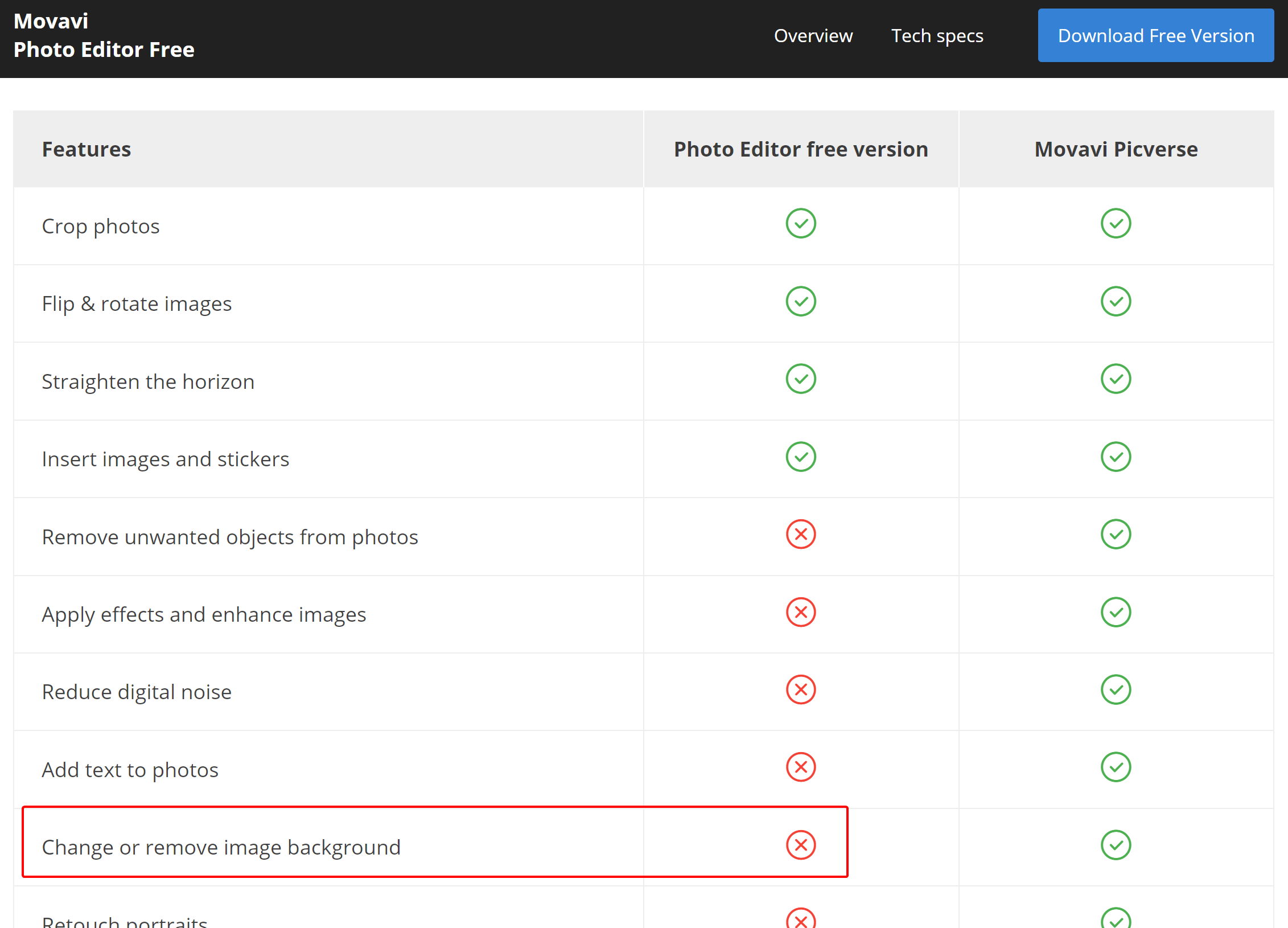
@esther, thank you for the link and screenshot! It appears that the ability to change or remove the background is not available in the free version. 🙁 https://www.movavi.com/photosuite-download/ See attached.
Attachments:
January 18, 2022 at 11:25 am #68262 RuthParticipant
Ok! Thanks for you help! Do you have a suggestions for other programs?
January 18, 2022 at 11:25 am #68263James StaddonKeymaster@blessingscaptured, the final product will be a printed greeting card. So, not social media. Probably cropped close to the typical 2:3 ratio. There should be space for “Merry Christmas” (or something similar) to be overlaid on the photo.
January 18, 2022 at 11:29 am #68264James StaddonKeymaster@esther, not that I know of to recommend. Maybe https://removal.ai/?
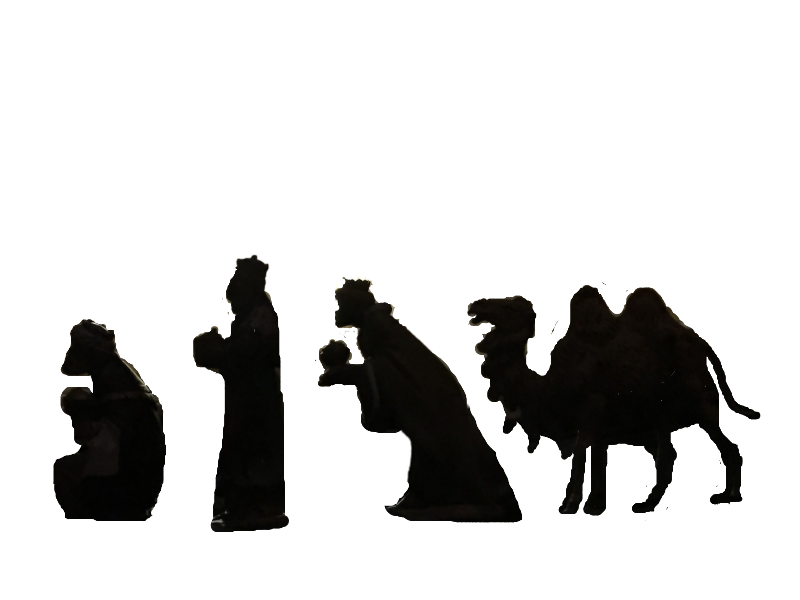
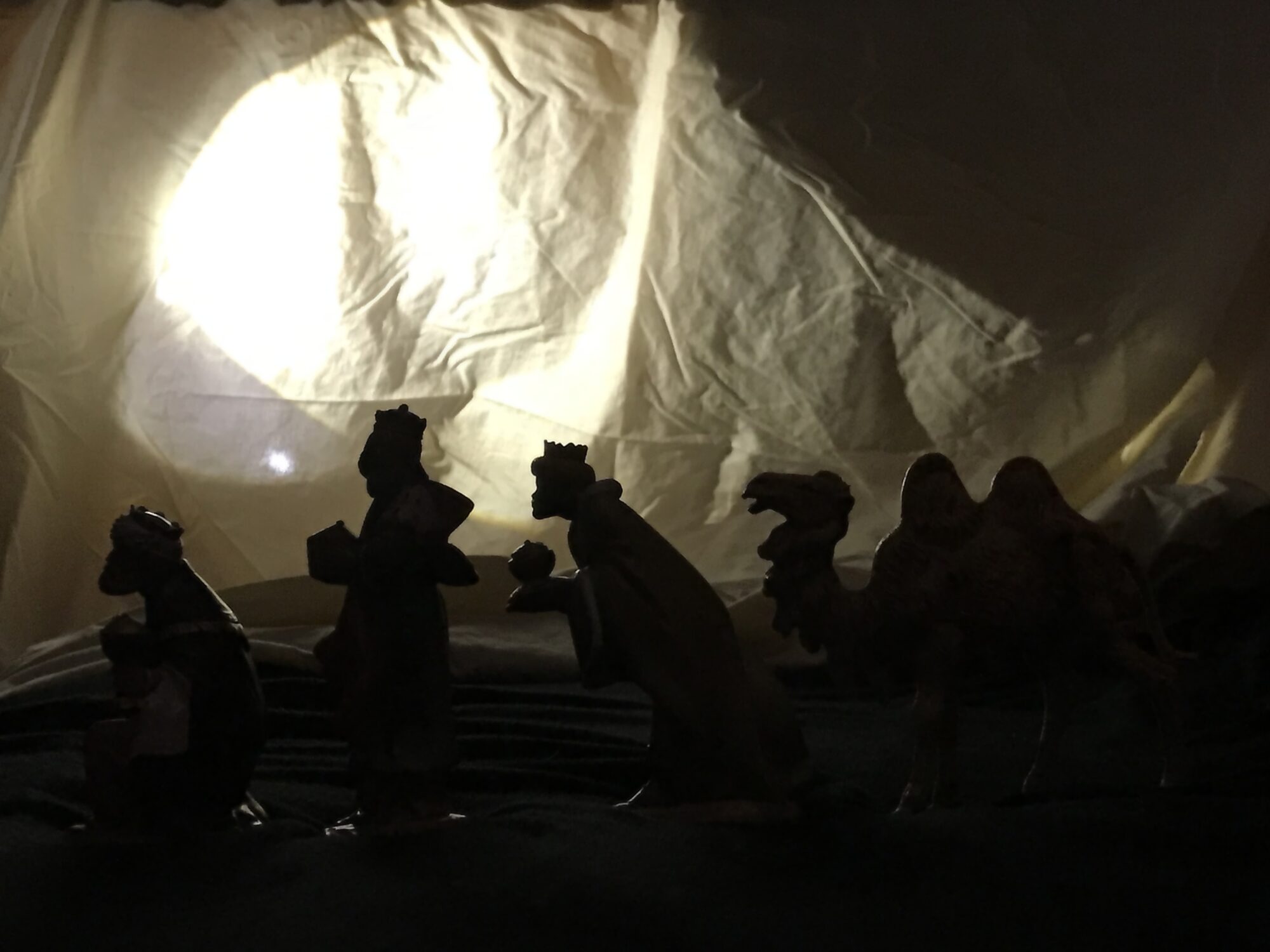
January 18, 2022 at 12:40 pm #68265RuthParticipantOk! I tried it and got this. Is there anyway to put it on a background? I took me an hour to do this! lol! It says that program does that but I don’t see an option.
Attachments:
January 18, 2022 at 12:57 pm #68267RuthParticipantIt still needs a lot of work. It looks really rough, but I’m hoping when I put it to a background it will look better.
January 18, 2022 at 12:59 pm #68268Adrianna Spencer
ParticipantHey everyone!! I used a dark blue plastic tablecloth and 3 wisemen (the whole set is white) (there are no camels, is that ok?) and Mary, Jospeh, baby Jesus in the manger, 1 shepherd, 1 horse, 1 lamb and 1 cow but when I took the photo all it showed was the light behind the tablecloth and the scene I had it in manual mode (I’m not good with all the stings and also because I just got a new camera for Christmas) what should I do to fix it because all I see is light!? This is what it looks like😬!! PLEASE HELP!! These are three that are actually a little visible everything else is plain black!!😢😭
Attachments:
January 18, 2022 at 1:30 pm #68272RuthParticipantI think you need more light. You need tons of light! You could get lamps and flashlights to put it behind it. All I’m seeing is 3 tiny blue lights and the rest is black. Maybe a lighter cloth? Maybe red? This was mine. I just used the site James gave me and was able to make what I posted above. I would just put it on auto if you don’t know how to use you camera yet. If you are going through the workbook it has a lot of information about settings. If not you could just call James and have a long talk with him! 😉😆
January 18, 2022 at 1:31 pm #68273RuthParticipantOops! Here’s the picture.
Attachments:
January 18, 2022 at 1:39 pm #68275ParticipantThanks @Esther! Because when that happened I didn’t know what to do and I don’t have any of those photography lights that they sell so I only used a big flashlight and the light on my iPod! Apparently not enough.
January 18, 2022 at 1:45 pm #68276Ezra Morley
Moderator@pistol-pete, don’t panic. 🙂 Try changing from Manual mode back to one of the automatic modes, and see if you can get a “normal” picture that shows everything correctly. Once you’ve established that your camera does indeed work properly, then you can proceed to try for a silhouette.
In order to make a silhouette, you’re going to need a fairly strong light source behind the figures shining towards the camera. If you have an external flash, that’ll work great, but otherwise you might try a lamp. If your light is set up properly, the background should be brighter than the figures. (If the figures are still too bright, you might want to turn off other lights that are shining on them, and leave only the backlight on.) It’ll take some experimentation, but if you look at the settings for the “normal” photo that you got earlier, and adjust them to make the photo darker, you should eventually get something close to what you’re looking for.
If your camera is on a tripod (which will make things easier) then you can bring your shutter speed way down from 1/400 to about 1/100 or even less. Then change your aperture from f/22 to something more like f/5.6 to start out with. If that makes the photo too bright, you can adjust it from there. If you’re not sure how to adjust the shutter speed and aperture, check out pg. 113 of your camera’s manual (or view it online here.)
Keep trying! I’m sure you’ll learn as you go, and be glad that you kept at it. 🙂If you haven’t watched James’s video yet, try watching it, and see how he does it. Hopefully that’ll give you some ideas. Keep asking questions if there’s still something you don’t understand or can’t figure out. The best way to learn is to ask questions and experiment!
January 18, 2022 at 1:46 pm #68277RuthParticipantI don’t have it the lights either! I could have used more flashlights for the camel. But it worked out ok! I just hope I can but a background on it!😀
January 18, 2022 at 1:50 pm #68278ParticipantThanks @buddingphotographer! James Staddon, is it ok if I don’t have any camels?
January 18, 2022 at 1:52 pm #68279RuthParticipant*I just hope I can put a background on it! 😃
Good point @buddingphotographer. Amazing you can write all that up that fast!😄
I couldn’t do that for anything!January 18, 2022 at 3:43 pm #68280 Blessings CapturedParticipant
Thank you @JamesStaddon for the extra detail about the ratio.
@pistol-pete instead of trying to use lights that aren’t strong enough, you could try hanging the table cloth in front of a south facing window. That’s what I did and it worked fairly will.-Hannah
-
AuthorPosts


You must be logged in to reply to this topic.